

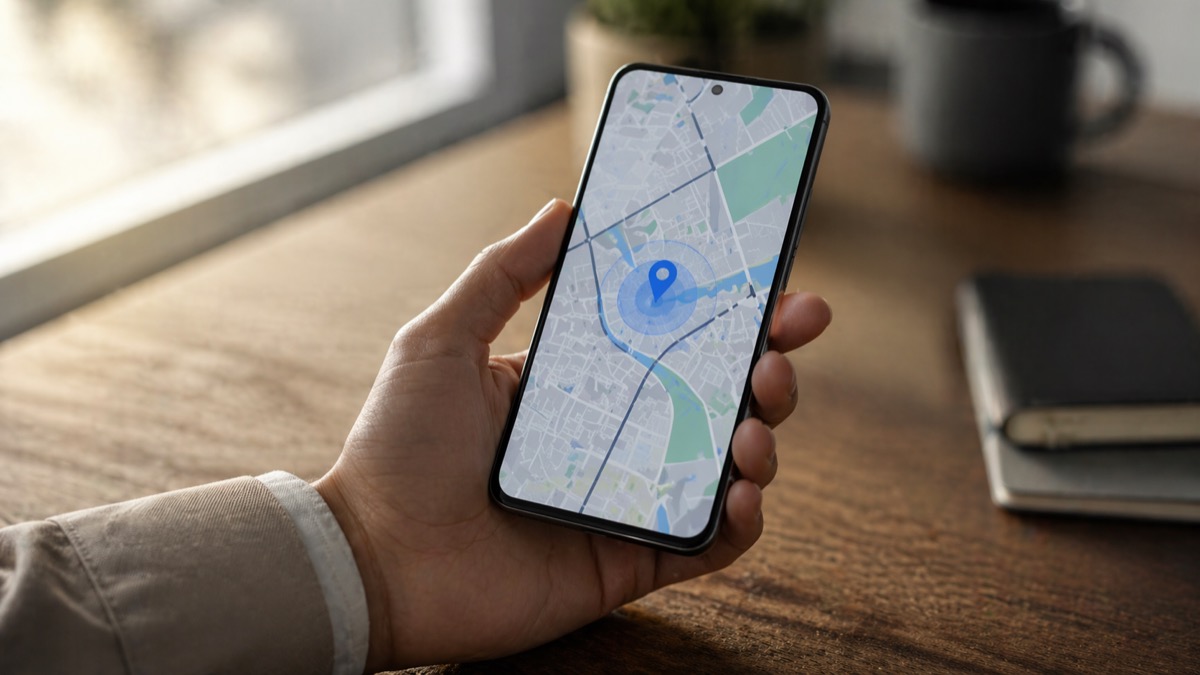
Samsung SmartThings Find locates your lost Galaxy phone, tablet, or SmartTag through a 300M-device network. What changed in 2026 and how to set it up.
You are in a rush, you tap your pocket, and your Galaxy phone is not there. The last time you had it was in the car, maybe. Maybe at the coffee shop. Before the panic sets in, there is a free tool built into every modern Galaxy device that can find it, ring it, lock it, or wipe it remotely. Samsung SmartThings Find has quietly grown into one of the largest device-locating networks in the world. The last figure Samsung published officially was 300 million “find nodes” — registered, opted-in Galaxy devices that help locate other users’ hardware — back in May 2023. Samsung hasn’t released an updated number since, but with several Galaxy generations shipped since then (through the Galaxy S26 series in early 2026), the real network is almost certainly larger today. Here is what actually works in 2026, and what you should do the moment a device goes missing.
SmartThings Find vs Samsung Find: the 2024-2026 shift
The biggest change most users never noticed is the split into two products. With the One UI 6.1 update that launched on the Galaxy S24 in early 2024, Samsung spun off SmartThings Find into a standalone app called Samsung Find, reported by SamMobile and Android Authority in January 2024. Samsung Find pulls device tracking out of the broader SmartThings smart-home app and gives it three dedicated tabs: Devices, Items, and People.
Both services still coexist. SmartThings Find remains available inside the SmartThings app and through the web portal at smartthingsfind.samsung.com. Samsung Find is the newer, simpler standalone experience that ships preinstalled on devices launched with One UI 6.1 or later. On older Galaxy phones, it can be downloaded from the Galaxy Store.
For most users, the distinction does not matter. The underlying network, features, and web portal are the same. If your phone is on One UI 6.1 or newer, use Samsung Find. If you are on an older build, stay with SmartThings Find. The web at smartthingsfind.samsung.com works either way.
How Samsung SmartThings Find actually works
The service relies on three layers of location tech. Bluetooth Low Energy handles nearby finding. Ultra-wideband, available on flagship Galaxy devices, adds directional guidance that tells you not just where the device is but which way to walk. Standard GPS and Wi-Fi positioning cover everything in between.
The interesting part is offline finding. When a lost Galaxy device has been offline for 30 minutes, it starts broadcasting a low-energy Bluetooth signal, according to Samsung’s official support documentation updated in March 2026. Any nearby Galaxy phone or tablet that has opted into offline finding picks up that signal and anonymously relays the location back to the Samsung server. Samsung calls the participating devices “Find Nodes”.
This is how a dead phone in a drawer three rooms away still shows up on the map. It is also why scale matters: at 300 million-plus opted-in nodes (Samsung’s last official count, May 2023), the finding network is dense enough that a lost Galaxy device is rarely far from a relay. The more Galaxy devices participating, the denser the network.
What you can actually do with SmartThings Find
Once your device is registered and offline finding is enabled, the web portal and the Samsung Find app give you a short list of useful actions. You can see the device’s current or last known location on a map, with timestamps. You can make it ring at full volume, regardless of its sound settings. You can lock the screen with a custom contact message so whoever finds it knows how to reach you.
For devices on the move, the tracking feature updates the location every 15 minutes. You can also trigger a remote backup to Samsung Cloud before erasing data, or run a full factory reset as a last resort if recovery looks unlikely.
One recent feature worth knowing: “Notify when left behind” sends you a push alert when a connected device, like a Galaxy Watch or SmartTag, gets separated from your phone. Samsung’s support page updated in December 2025 confirms it works with Galaxy Watch, Galaxy Buds, S Pen Pro, and SmartTag devices.
Samsung SmartThings Find at a glance in 2026
| Feature | What it does in 2026 |
|---|---|
| Offline finding | Locates a Galaxy device via other Galaxy phones even when it is offline or powered off |
| Ring device | Triggers full-volume sound remotely, even on silent mode |
| Track location | Updates position every 15 minutes when the device is moving |
| Remote lock and wipe | Locks the screen, shows a contact message, or factory-resets the device |
| Notify when left behind | Pushes an alert when your Galaxy Watch, Buds, SmartTag, or S Pen gets disconnected |
Setting up SmartThings Find in three minutes
The setup has gotten simpler. Open Settings on your Galaxy phone, tap your Samsung account, then Find My Mobile. Toggle both Find My Mobile and Offline Finding on. That single switch opts your device into the broader Samsung network and lets it act as a Find Node for other users, anonymously.
For extra privacy, Samsung added an “Encrypt Offline Location” option that encrypts your device’s offline position before it leaves the phone, visible only to you, according to SmartThings official support documentation. Turn it on. There is no reason not to.
Also worth enabling: Send Last Location. When your battery drops to around 20%, your device automatically transmits its last known location to Samsung’s servers, based on Growthscribe’s September 2025 guide. That means a phone that dies in a taxi still gives you a useful starting point.
For Galaxy Watch, Buds, and S Pen Pro, offline finding is inherited from the paired phone’s setting. For SmartTag, enable it directly in the Samsung Find or SmartThings app when you register the tag.
How Samsung SmartThings Find compares to Apple and Google
The Galaxy ecosystem is now roughly in parity with Apple’s Find My network and the newer Google Find Hub, which rebranded from Find My Device in 2025. Each network only works inside its own brand family. Apple cannot see your Galaxy phone. Samsung cannot see your iPhone.
That said, Samsung’s UWB support on flagship phones gives it an edge in directional finding, similar to Apple’s Precision Finding on AirTag. Google’s network is the newest of the three and has grown fast thanks to the massive Android installed base. In practice, if you are a Galaxy user, Samsung SmartThings Find is the most complete solution available because it ties together phones, tablets, Galaxy Watches, Buds, SmartTags, and even laptops on one map.
The one limitation worth stating plainly: SmartThings Find only works on Android devices, and only with a Samsung account signed in. It is not a universal tracker, and it never will be.
What to do when your device really is gone
If the phone was stolen rather than misplaced, the recovery playbook changes. Sign in to smartthingsfind.samsung.com from any browser. Lock the screen with a custom message and your contact info. Trigger a remote backup to Samsung Cloud if you have not synced recently. Then, if recovery looks unrealistic, run a full factory reset to wipe personal data and Samsung account credentials.
File a police report with the IMEI, which you can find in Settings under About Phone. Notify your carrier so the device can be flagged on the local stolen-device registry. Contact your bank if banking apps were installed, and change passwords on any accounts with auto-login enabled.
Samsung SmartThings Find is a recovery tool, not a theft-prevention tool. Most of its value shows up in the first 15 minutes after you realize a device is missing. After that, the data shifts from “where is my phone right now” to “here is the last known point, investigate from there”.
Frequently asked questions
Is Samsung SmartThings Find free?
Yes. SmartThings Find is a free service tied to your Samsung account. You can access it through the SmartThings app, the newer Samsung Find app, or the web portal at smartthingsfind.samsung.com.
Can SmartThings Find locate my phone if the battery is dead?
Sometimes. If the Send Last Location feature was enabled before the battery died, the phone will have transmitted its final known position when power dropped to around 20%. Offline finding can also locate a device for a period after it goes offline, as long as it is still broadcasting a low-energy Bluetooth signal.
What is the difference between SmartThings Find and Samsung Find?
Samsung Find is a standalone app that launched with One UI 6.1 in early 2024 and replaced the SmartThings Find section inside the older SmartThings app. The underlying network and features are the same. Samsung Find adds a People tab for family location sharing, while SmartThings Find focuses on devices.
How accurate is SmartThings Find offline finding?
Accuracy depends on how many other Galaxy devices are nearby and acting as Find Nodes. In dense urban areas, the location can be precise to within a building or a street. In rural zones, the network is thinner and accuracy drops. Official Samsung documentation states that Find Node devices do not indicate the exact location of the lost device.
Does SmartThings Find work on iPhone or non-Samsung Android phones?
No. SmartThings Find only works on Samsung Galaxy devices registered to a Samsung account. iPhone users should use Apple Find My. Non-Samsung Android users should use the Google Find Hub, rebranded from Find My Device in 2025.
The bottom line
Samsung SmartThings Find is the best way to locate a missing Galaxy device in 2026, as long as you enable it before you need it. The setup takes three minutes. The offline finding network is massive. The web portal works from any browser.
If you have not turned it on, do it now. Find My Mobile, Offline Finding, and Send Last Location should all be toggled on in Settings. For Galaxy Watch, Buds, and SmartTag owners, add Notify when left behind to the list. That five-minute setup is the difference between a stressful afternoon and a quick recovery the next time a device slips out of your bag.
Want more tech and innovation coverage like this? DualMedia Innovation News tracks the technology shifts that actually matter, from AI to foldable hardware to the next wave of consumer products.
 EN
EN  FR
FR  ES
ES