

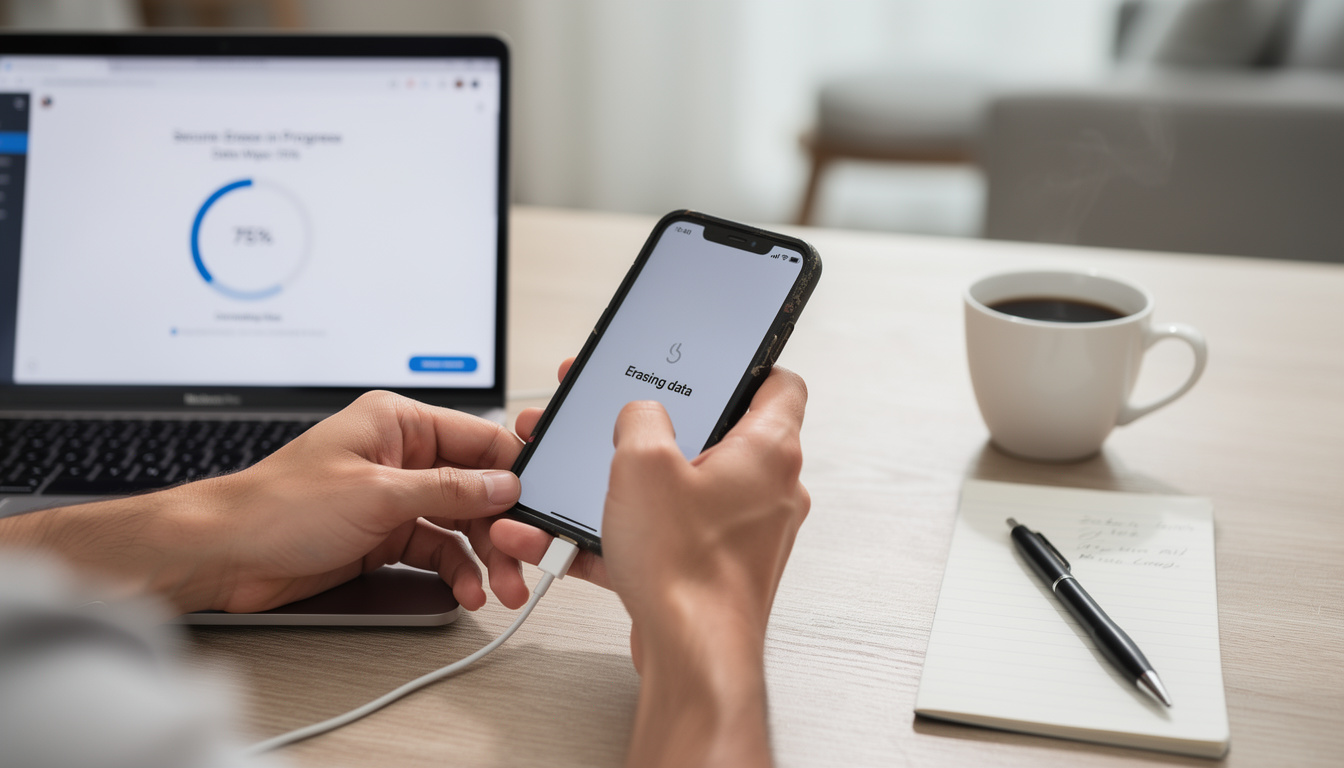
How to sell your old phone safely starts with one truth: deleting a few photos is not enough. The moment a used device leaves your hands, it can still hold passwords, banking alerts, location history, and private messages if the wipe was incomplete. That risk matters now because phone resale values remain strong, trade-in programs are everywhere, and many buyers move fast on marketplaces without checking what is still on the device. A careful reset protects your identity, your apps, and anyone else linked to your account. It also helps you hand over a phone that is genuinely ready for its next owner, not a device carrying traces of your digital life.
How to sell your old phone safely without leaving data behind
People often assume a factory reset solves everything. In many cases, it does, but only after the right prep work. If you skip account sign-out, encryption checks, or eSIM removal, the next owner may hit an activation lock, and your own data trail may remain tied to the device.
Apple and Google both publish reset steps for iPhone and Android devices, and those steps have become more important as phones store payment cards, passkeys, health data, and two-factor authentication codes. A phone is no longer just a handset. It is your portable identity vault.
A safer process starts before the erase button. That is the difference between clearing clutter and actually protecting yourself.
Before wiping any phone, handle these steps in order:
- Back up photos, messages, and app data you still need
- Sign out of iCloud, Google, Samsung, and manufacturer accounts
- Remove eSIM profiles and physical SIM cards
- Disable Find My iPhone or Android device protection features
- Unpair smartwatches, earbuds, and trusted devices
- Delete saved payment cards and transit passes from wallet apps
- Factory reset only after the account and security steps are done
That checklist sounds basic, but it stops the most common mistakes. It also prevents an awkward message from a buyer saying the phone is still locked to your account.
Backups, account removal, and the step most sellers forget
The easiest mistake is rushing. Someone agrees to buy your device, you meet after work, and suddenly you are wiping it in a parking lot with 4 percent battery left. That is how photos vanish and account locks stay active.
Start with a full backup. On iPhone, that usually means iCloud or a local encrypted backup through Finder or Apple Devices on Windows. On Android, backup options vary by brand, but Google One, Samsung Cloud alternatives, and local transfer tools can all play a role.
The step many people forget is trusted login cleanup. If your old phone receives authentication prompts for Gmail, banking apps, or social platforms, remove it from those trusted device lists after the reset. This matters even more if you use your phone for work or side projects. Readers concerned about broader account hygiene may also want to review this Gmail address change guide, especially when an old device is tied to long-used sign-in habits.
One more point deserves emphasis: payment apps. Mobile wallets are convenient, but they create another layer of risk if a device changes hands too quickly. DualMedia has also tracked how phone-based transactions keep growing in its coverage of mobile payment, which makes proper device cleanup more than a nice extra.
Factory reset on iPhone and Android, what actually works
On modern iPhone models, the safest route is to sign out of Apple ID, turn off Find My, remove the device from your trusted account list, then erase all content and settings. Apple’s support documentation has long stressed that activation lock remains linked to the Apple ID unless that sign-out happens first. If you skip it, the buyer gets a brick.
On Android, the process depends on the brand, but the same principle applies. Remove Google and manufacturer accounts, confirm device protection is off, then run the built-in factory reset from system settings. Samsung, Google Pixel, and other vendors all package this a little differently, yet the security logic stays the same.
Older advice used to recommend overwriting storage repeatedly. That guidance made sense years ago on some unencrypted devices, but modern smartphones now rely on file-based encryption or full-disk encryption, making a proper reset far more effective when security features are enabled. Based on the reported design direction of Android and iOS over the last few years, the real risk today is usually poor account handling, not weak erase technology.
| Key step | Why it matters |
|---|---|
| Back up your data | Prevents permanent loss of photos, chats, app settings, and authentication records |
| Sign out of accounts | Stops activation lock and removes ties to Apple ID, Google, or Samsung services |
| Remove SIM and eSIM | Keeps your number, carrier plan, and identity checks from staying on the device |
| Factory reset correctly | Clears local data and prepares the phone for a new owner |
| Check the setup screen | Confirms the device opens like a new phone and is ready to sell |
After the wipe, reboot the device and stop at the welcome screen. If it still asks for your credentials, something was missed. That final check saves time and protects your reputation as a seller.
Security risks that still catch sellers in 2026
Resale fraud is not always dramatic. Sometimes it is just a buyer recovering browser sessions, cloud tokens, or forgotten files from a poorly prepared device. Sometimes it is worse, especially when lockscreen bugs or software flaws are in play. Security stories such as this report on an Android lockscreen flaw are a useful reminder that old devices should be fully updated before reset if possible.
Another weak point is app residue. Messaging apps, authenticator tools, password managers, and business platforms may sync beyond the phone itself. If a seller resets the hardware but forgets to revoke the device from account dashboards, sessions may linger elsewhere. That overlap is why mobile resale now belongs in the wider cyber hygiene conversation, not just the gadget category.
For anyone selling a work phone or a device that touched business systems, the stakes rise fast. A personal mistake can become a company problem. DualMedia’s reporting on cyber attack exposure points to the same lesson from another angle: small oversights often create outsized risk.
How to prove your phone is clean before you hand it over
A serious seller does not just say the device was erased. The cleanest handoff is practical and visible. Meet the buyer with the phone charged, updated, and resting on the initial setup screen. That visual confirmation builds trust instantly.
If the phone supports eSIM, verify that it is removed in settings before the meeting. If you used accessories tied to the device, such as a smartwatch, make sure they no longer show it as a paired phone. This is especially important in Apple and Samsung ecosystems, where hardware relationships run deeper than many users realize.
It also helps to prepare the basics around the sale itself. Note the IMEI, record the condition, and reset network settings if the device has odd connectivity history. These small checks reduce disputes later. A clean sale is not just about privacy. It is about reducing friction from start to finish.
Frequently asked questions
Is a factory reset enough before selling a phone?
Yes, in most cases, but only if account sign-out, activation lock removal, SIM or eSIM removal, and wallet cleanup happen first. On modern encrypted smartphones, the larger risk usually comes from skipped account steps rather than the reset itself.
Should a phone be updated before it is wiped?
Usually yes, if the device still functions normally and the update is available. Current software can patch known flaws and improve the reliability of the reset and account removal process.
What is the safest way to sell an old iPhone?
Back it up, sign out of Apple ID, disable Find My iPhone, remove the SIM or eSIM, erase all content and settings, then confirm it reaches the Hello screen. Apple’s own support guidance has consistently treated activation lock removal as the critical step.
Can deleted files be recovered by the next owner?
On older or poorly secured devices, recovery risks were higher. On current iPhone and Android models using built-in encryption, a proper reset after security preparation is generally considered effective for normal consumer resale.
What should be removed besides photos and messages?
Stored payment cards, passkeys, browser sessions, authenticator apps, Bluetooth pairings, and trusted-device permissions all deserve attention. If a device handled work accounts, remove it from corporate dashboards too.
The bottom line
How to sell your old phone safely comes down to discipline, not luck. Back up first, remove accounts second, erase third, and verify the clean setup screen before the device changes hands. That order matters.
The best resale experience is the one that feels slightly boring. No missing photos, no activation lock panic, no late-night password resets. For a device that carried so much of your life, that is exactly the outcome you want.
Want more tech and innovation coverage like this? DualMedia Innovation News tracks the technology shifts that actually matter, from AI to foldable hardware to the next wave of consumer products.
 EN
EN  FR
FR  ES
ES