

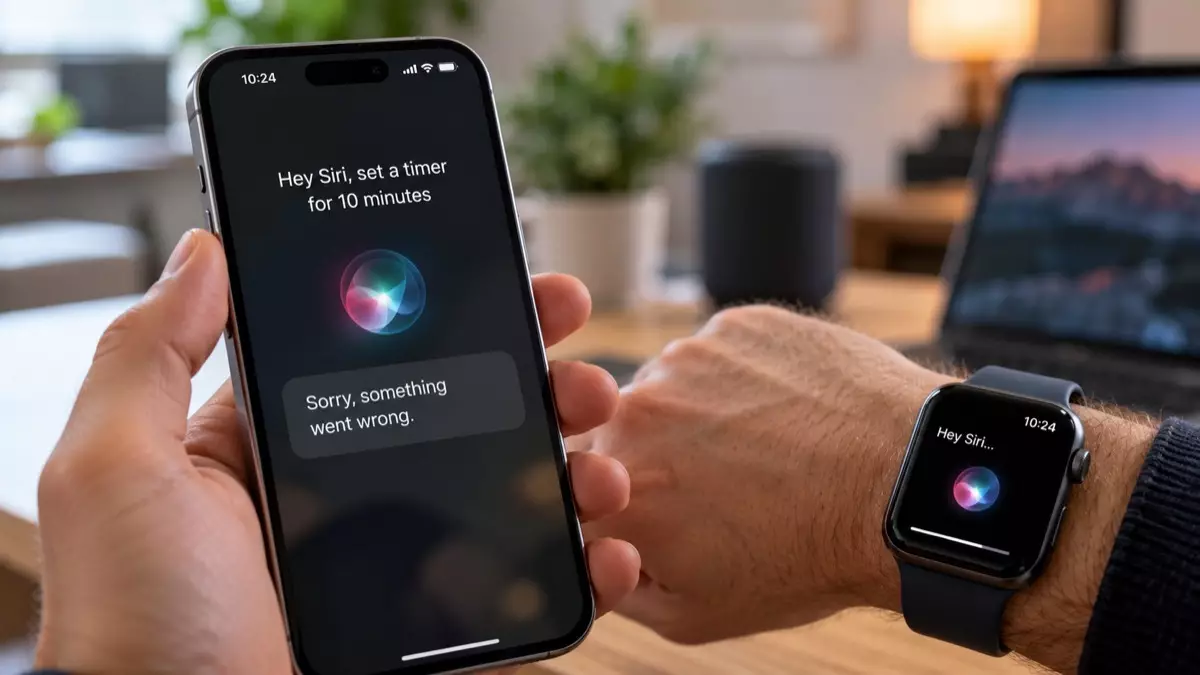
Siri AI is frustrating some iPhone and Apple Watch users with connection errors, missing device data, locked-phone restrictions, slow watch responses, and unreliable legacy commands. Reports published in September 2026 show basic requests taking several seconds and occasionally around 30 seconds. Apple still labels the feature a beta, so access and performance remain inconsistent.
What are the five biggest Siri AI problems?
The five main Siri AI problems reported in September 2026 are vague connection failures, an inability to find device data or accessories, restrictions when an iPhone is locked, long Apple Watch delays, and missing or unreliable commands. The complaints affect routine jobs such as timers, reminders, messages, alarms, and Home controls.
Siri AI is an artificial intelligence assistant that interprets spoken or typed requests and acts across supported Apple devices and apps. The new version arrived with broader language understanding and personal context, but early reports collected by 9to5Mac on September 20, 2026 suggest that everyday reliability has not kept pace with its expanded ambitions.
The reported problems fall into five distinct categories:
- Connection errors: The assistant may display “Sorry, something went wrong” without identifying a Wi-Fi, VPN, server, or other network cause.
- Missing data and accessories: Requests can fail to locate Reminders lists, alarms, or named HomeKit devices that classic Siri previously found.
- Locked-iPhone restrictions: Some personal-context and messaging requests demand an unlocked phone even when “Allow Siri When Locked” is enabled.
- Apple Watch latency: Basic commands can take several seconds and, in reported cases from September 2026, around 30 seconds.
- Command regressions: Familiar wording may produce no response, a different interpretation, or an unsupported-feature message.
These aren’t equally serious. A changed gesture or removed transcript is irritating, while a timer that silently fails can spoil cooking, medication timing, or a workout. For a broader account of the assistant’s intended features and setup, see our guide to Siri AI in iOS 27.
Why is Siri AI so slow on Apple Watch?
Siri AI can be slow on Apple Watch because reported requests appear to stall before completing or fail after a long wait. Between September 3 and September 21, 2026, users described delays of several seconds and occasionally around 30 seconds for timers, reminders, messages, alarms, workouts, and Home accessory controls.
The delay matters more on a watch than on a phone. Raising your wrist and speaking is supposed to be faster than opening an app; once a timer takes 15 seconds, tapping the Clock app may win. Reports continued after the public watchOS 27 release on September 15, 2026, rather than disappearing with the beta builds.
One Reddit user test published on September 21, 2026, reported timer responses averaging 15 seconds and an alleged failure rate of one in three. That isn’t a controlled benchmark, but it illustrates the cost: with a 67% success rate, completing 10 successful timer requests would require about 15 attempts on average. At 15 seconds per attempt, the expected waiting time reaches roughly 225 seconds, or 3 minutes 45 seconds.
That calculation assumes independent attempts and identical response times, so it shouldn’t be treated as a universal performance figure. Still, it captures the real usability problem. Honestly, a voice timer that needs repeated supervision defeats the point of using your wrist.
| Task or issue | Reported behavior | Practical effect |
|---|---|---|
| Set an Apple Watch timer | Several seconds to around 30 seconds; one user test reported a 15-second average | Manual Clock app entry may be faster |
| Create a reminder | Delay, failure, or inability to find a named list | User must confirm that the item was saved |
| Control a Home accessory | Named HomeKit accessory may not be found | Home app becomes the fallback |
| Send a message | Request may require an unlocked iPhone | Hands-free use becomes less useful |
| Run an older command | Different interpretation or unsupported action | Established voice habits stop working |
Why can’t Siri AI find reminders or Home accessories?
Siri AI sometimes fails to locate Reminders lists, saved alarms, or named HomeKit accessories that classic Siri could access, according to reports published on September 20, 2026. The symptoms resemble an indexing or data-retrieval problem: the requested object exists, yet the assistant behaves as if the list, alarm, or accessory cannot be found.
Accessory failures can be difficult to diagnose because several layers are involved. A spoken Home command depends on the recognized accessory name, Apple Home configuration, network availability, account access, and the assistant’s interpretation. Readers troubleshooting that chain may find our explanation of Matter, Thread, and smart-home protocols useful, although the reported Siri failures aren’t proven to originate in either protocol.
The neglected pitfall is silent substitution. If the assistant misunderstands a room or device name, you might assume the accessory is offline when the real problem is language interpretation. Open the Home or Reminders app before renaming anything; first confirm that the item still exists, sync has completed, and manual control works.
Health requests have a firmer limitation. A September 20, 2026 report said the beta didn’t support questions about Health app data. Rephrasing such a request won’t repair a capability that the beta doesn’t provide.
Why does Siri AI ask you to unlock your iPhone?
Siri AI may require an unlocked iPhone for personal-context or messaging requests even when “Allow Siri When Locked” is enabled. Reports published on September 20, 2026 described the restriction as inconsistent rather than universal, leaving users unable to predict which requests will work hands-free from an iPhone or paired Apple Watch.
Some lock-screen limits are sensible because messages and personal data can expose private information. The frustrating part is the mismatch between the visible setting and the outcome. If a permitted request still demands authentication, you can’t tell whether you’ve hit an intentional security boundary or a beta defect.
There’s a reasonable counter-argument: Apple should favor privacy when context is ambiguous. Even so, a privacy safeguard needs a specific explanation. A generic unlock request gives you no indication whether the blocked element was a contact, message content, personal context, or device state.
Before changing security settings, test the same wording with the phone unlocked and then locked. If only the locked attempt fails, you’ve isolated the condition without weakening passcode protections. Don’t disable security merely to make a beta assistant more convenient.
Did Siri AI remove commands and interface features?
Siri AI changed or lost some familiar behaviors in its September 2026 beta, including reliable handling of certain legacy commands. Reports said the former “Use ChatGPT” prefix no longer routed a request directly to ChatGPT, while other requests needed repetition or produced interpretations that differed from classic Siri.
Interface complaints included prominent Ask Siri buttons, removal of the visible speech transcript, and reassignment of a swipe-down gesture from notifications to Siri and Spotlight. Those changes aren’t command failures, but they increase friction for people relying on established muscle memory or a transcript to verify speech recognition.
The missing transcript is more consequential than it sounds. Without seeing the recognized words, you can’t quickly distinguish bad transcription from bad reasoning. That makes troubleshooting slower and leaves accessibility users with less immediate feedback.
Comparisons with other assistants should account for device integration, not just conversational answers. Our 2026 comparison of Siri, Gemini, and mobile copilots explains why app control and predictable execution can matter more than fluent prose. For everyday commands, reliability beats personality.
Who can use Siri AI in 2026?
Siri AI remained a beta on September 14, 2026 and required iOS 27 or watchOS 27, according to Apple Support. Apple Watch access required a Series 9 or later, Ultra 2 or later, or SE 3 paired with a nearby Apple Intelligence-enabled iPhone. English device and Siri language settings were also required.
Installing iOS 27 didn’t automatically activate the assistant. TechRadar reported on September 15, 2026 that Apple distributed access through a separate waitlist, which explains why two compatible phones on the same operating-system version might not show the same feature.
Apple’s September 14, 2026 support documentation also excluded users of iOS, iPadOS, and watchOS in the European Union from the beta. Changing a device language alone therefore won’t solve every eligibility problem. Region, hardware, operating system, language, waitlist access, and proximity to a compatible iPhone can all affect availability.
If Siri AI doesn’t appear, check eligibility before treating the absence as a malfunction. The beta label also matters when judging the reported failures: it explains unfinished behavior, but it doesn’t make a 30-second timer response acceptable for routine use.
Siri AI FAQ
Is Siri AI still in beta?
Siri AI was officially labeled “Beta” in Apple’s September 14, 2026 support documentation. Beta status means behavior, availability, and supported commands can change before a wider release.
Does installing iOS 27 automatically enable Siri AI?
Installing iOS 27 did not automatically enable Siri AI in September 2026. Access was distributed through a separate waitlist, according to TechRadar’s September 15, 2026 report.
Which Apple Watch models support Siri AI?
Apple listed Apple Watch Series 9 or later, Apple Watch Ultra 2 or later, and Apple Watch SE 3 as supported in September 2026. A nearby Apple Intelligence-enabled iPhone was also required.
Can Siri AI answer questions about Apple Health data?
Siri AI did not support questions about Health app data in a report published on September 20, 2026. The limitation may change during or after the beta, but no later capability is established by the supplied sources.
Is Siri AI available in the European Union?
Siri AI was unavailable to iOS, iPadOS, and watchOS users in the European Union under Apple’s September 14, 2026 beta requirements. Apple also required English device and Siri language settings for eligible regions.