

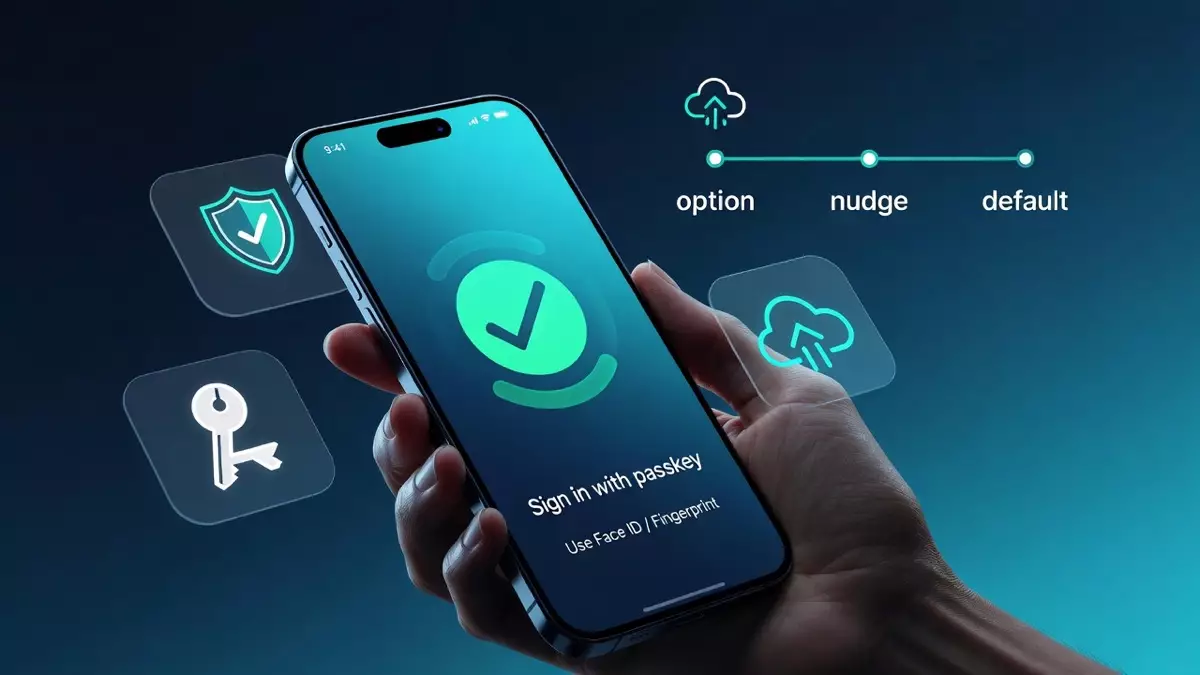
Passkeys are one of the few upgrades that make a mobile app feel easier and safer at the same time.
They also have a reputation for going sideways when teams treat them like a simple toggle. The feature ships, the prompt shows up, and then support gets flooded with “I got a new phone and can’t log in.”
If you want passkeys to actually reduce friction, you need to ship the unsexy parts with the same care as the happy path: migration, recovery, device handling, and the copy users see at the exact moment they decide to trust you.
Here is a rollout plan that works in real products.
Passkeys are a login product, not a security checkbox
The clean way to explain passkeys is this: users sign in by unlocking their device instead of remembering a password.
Under the hood, the device stores a private key and your server stores a public key. The private key does not leave the device, so there is nothing reusable for a phisher to steal.
That matters because password attacks are not slowing down. Microsoft’s Digital Defense Report 2024 notes Microsoft blocked about 7,000 password attacks per second over the past year. (Source: Microsoft Digital Defense Report 2024.)
But the reason product teams end up caring is simpler: passkeys remove the most annoying parts of login.
- No typing
- No reset loop
- No “which email did I use?” moment
In a real app, it should feel like this: tap “Sign in,” confirm Face ID or fingerprint, you are back in the product in two seconds.
The rollout mistake that creates lockouts
The classic mistake looks like this:
- Add passkeys
- Prompt everyone to set one up
- Remove passwords too early
That is how you turn a helpful feature into a support event.
Here is what usually happens next:
- A user upgrades their phone.
- They try to sign in.
- Their passkey does not show up (wrong credential manager account, no sync, device mismatch).
- They hit a fallback that is confusing or broken.
- They contact support, or they churn.
Lockouts rarely come from passkeys themselves. They come from removing the safety net before you have proven recovery.
Treat passkeys like any other funnel change. Ship it in stages, measure it, and keep a fallback method until recovery is boring and reliable.
A rollout sequence that keeps trust intact
The best rollouts feel almost invisible. Users discover passkeys because they make the app easier, not because the app nags them.
Phase 1: Add passkeys as an option, not a requirement
Start with two entry points:
- “Sign in with passkey” on the login screen
- “Create a passkey” in account settings
Keep your existing sign-in methods.
Your goal in phase one is learning:
- setup completion rate
- sign-in success rate
- where users drop (during setup, at biometric prompt, after failure)
- what the fallback usage looks like
Practical move: roll out to internal staff first, then a small percentage of real users. Passkeys are the last place you want surprises.
Phase 2: Nudge after a moment of real intent
Do not ask on first launch.
Ask after the user has done something that proves they care about the account:
- they placed an order
- they finished onboarding
- they saved favorites
- they linked a payment method
Keep the copy plain and specific:
“Want faster sign-in next time? Set up a passkey. No password needed.”
PayPal has publicly shared that it saw a 10%+ increase in login success rate with passkeys compared with traditional password methods. (Source: PayPal newsroom, Jan 23, 2025.)
That lift usually comes from fewer failed attempts and fewer resets. In other words, users just get stuck less.
One guardrail that helps: do not show the prompt more than once every few weeks. If the user skips, respect it.
Phase 3: Make passkeys the default, keep a fallback
Once you see strong success rates and low recovery pain, make passkeys the first choice.
But keep a fallback method. For most consumer apps, an email magic link or another verified method is the least painful safety net.
Removing passwords is a separate project. Do it only when your recovery flow is tested, and your support team is not seeing spikes tied to device changes.
Recovery is the difference between a smooth launch and a support nightmare
People switch phones constantly. People lose phones. People wipe devices.
If your passkey story breaks at “new phone,” you will feel it.
A good recovery flow is short and familiar:
- Verify identity through a channel you already trust (verified email or verified phone)
- Let the user create a new passkey on the new device
- Confirm the new passkey is ready and explain what happens next
The key is not forcing a full password reset just to create a passkey. That defeats the whole point of going passwordless.
Also, be honest about the real-world edge case: passkeys are saved to a credential manager linked to the user’s device account. If a user signs into a different iCloud or Google account on a new device, the old passkey may not be available, and they may need to create another passkey on that device. PayPal calls this out directly in its passkey help guidance. (Source: PayPal Help Center.)
How you message that matters. A good tone is:
“Looks like this device isn’t connected to the account that has your passkey. No problem. We’ll verify you and set up a new one.”
That one line can save you a lot of angry tickets.
If you want to go one step further, support “I’m still logged in on another device” recovery. For example: approve the new device from the old device, then create the passkey on the new one.
Device and account handling users actually understand
If passkeys are going to scale in your app, give users simple visibility and control.
In account settings, include a basic list:
- Passkeys on this account
- Device label (iPhone, Pixel, MacBook)
- Last used
- Remove option
Two details that prevent predictable problems:
- If the user removes a passkey, tell them what it means in one sentence.
- If they are removing the last passkey, warn them they will use the fallback sign-in next time.
This prevents the “I removed something and now I’m locked out” ticket.
Account matching matters too. If users have multiple accounts (personal and work, multiple emails, old and new numbers), be explicit about which account the passkey belongs to. Nothing makes an app feel broken faster than logging into the wrong account after a security upgrade.
A simple pattern: after passkey sign-in, show a quick confirmation line like “Signed in as [email protected]” with a one-tap “Switch account” option.
Step-up verification should exist, but only where it is justified
Passkeys improve sign-in security, but some actions still deserve extra confirmation:
- changing email or phone
- changing payout details
- viewing sensitive data
- high-value purchases
The mistake is applying step-up to everything. Users will blame passkeys even though the problem is policy.
A reasonable approach is risk-based:
- Step up only when the action is sensitive.
- Step up when the context is unusual (new device, unusual location, repeated failures).
Keep it simple. For many apps, step-up can be as light as re-confirming Face ID or sending a one-time email link.
Testing and metrics that keep you honest
Do not judge passkeys by vibes. Measure them.
Track:
- passkey setup completion rate
- sign-in success rate (passkey vs fallback)
- recovery flow completion rate
- how often users hit fallback
- login-related support tickets
Then test the real-world states where things break:
- cold start (app fully closed)
- warm start (app in background)
- logged out state
- weak network and timeouts
- new phone using a different credential manager account
- multiple accounts on the same device
Practical tip: build a small internal test matrix and run it every release. Auth bugs are expensive because they block the entire product.
Also set alert thresholds. If passkey sign-in failures spike after a release, you want to know within hours, not after your support queue explodes.
Ship passkeys like a product, not a feature
The teams that win with passkeys do the opposite of what people expect.
They keep it simple. They roll it out slowly. They obsess over recovery and device handling. They write a copy that sounds like a human. Then they scale.
If you want help implementing passkeys with clean recovery, sensible step-up verification, and a rollout plan that does not spike support volume, this is the kind of work a strong set of mobile app development services should be able to own end to end.
Because when passkeys are done right, users do not think about security at all. They just think, “That was easy,” and they keep using the app.