

Many beginners don’t think about multiple servers until their site starts slowing down. Once that happens, shifting the workload across several machines is a simple way to keep performance smooth and avoid bigger problems. If you’re after real-world tips, this guide fits right in. With the basics broken down, setting up flexible, solid setups gets way easier.
Understanding the Basics of Multi-Server Connections
A site crash during a traffic surge can make the problem feel immediate and overwhelming. Splitting the workload across several servers keeps everything steadier when visitor numbers jump out of nowhere. Novices often perceive this configuration as a technological labyrinth. In reality, it’s about knowing how servers communicate. It’s understanding where data flows and what protects them from tripping over themselves.
Growth on websites is often erratic, with a spike in traffic at 6:00 p.m. that can easily overpower a single machine. When a throng unexpectedly shows up, the site remains stable since the workload is distributed among several servers.
Some servers can handle what visitors see, while others manage data and information or speed things up. They connect through both physical cabling and digital network pathways.
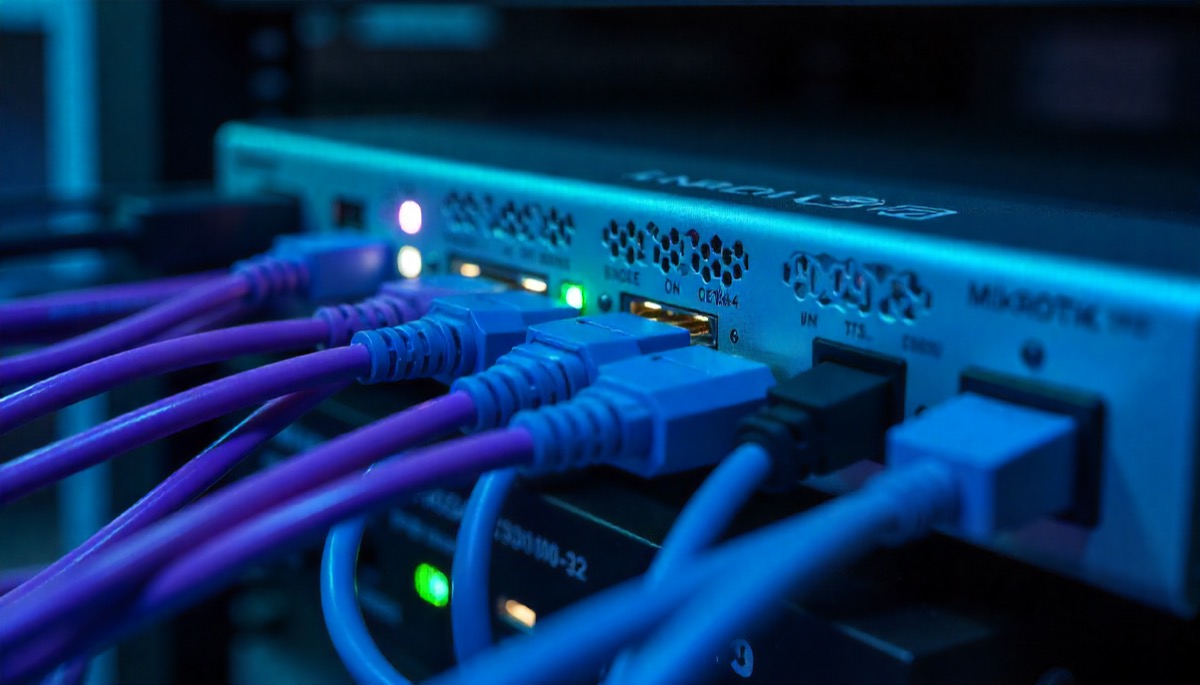
A proper setup starts making a real difference. While planning hardware across scattered servers, some IT folks consider options such as China custom wire harness to keep connections clear and reliable. A clean setup reduces wasted time.
At first, it might seem fuzzy until you spot log files flashing with tons of messages zipping back and forth in no time. What really matters is figuring out where each message goes and which route it takes.
How Routing and Load Balancing Keep Everything Moving
Routing controls how data moves between servers, directing each request to the appropriate server. Think of it as giving your setup clear directions so nothing wanders off. New users often believe it just works perfectly on its own, but bad setups might trap traffic in endless loops or block it completely. One straightforward routing fix can save hours of frustration digging through log files.
The loading balance works quietly. Instead, it shares out incoming visits so no single machine gets flooded. Think of a solid load handler like someone directing cars during rush hour. It’s steady but never loud. When one system drags, this tool quietly shifts flow to faster ones. Otherwise, jams pop up that annoy people while wearing out equipment sooner.
Many new users think their load balancer works fine straight out of the box. But the truth is, no two systems are alike. A page delivering images won’t act like one that pulls complex data from a database. Tweaking settings can make a real difference.
Cables, Hardware Layout, and Clean Infrastructure Practices
Even when using cloud systems, physical hardware still counts. Racks holding servers require organized cables so the technicians do not have to untangle wire knots. Good cable routing keeps everything secure and lets your servers breathe, which helps prevent overheating. A messy layout might seem fine today, but it can turn minor issues into outages when you need quick fixes.
Running several servers needs solid links between every unit. Spotty cables mess things up without warning. That’s why lots of data setups use uniform cords or marked routes instead.
A tidy setup shapes how people work. Cables, ports, switches, or tags arranged the same way are easier to track.
Network Protocols that Keep Servers in Sync
Most newbies come across words such as TCP, UDP, or SSL – and right away lose interest. Still, these rules control how stable each link stays when using many servers at once. TCP ensures that information gets there without errors. On the flip side, UDP focuses on moving fast. Meanwhile, SSL layers protect sensitive details so they won’t end up where they shouldn’t.
Grasping these fundamentals lets new users spot glitches faster. When a site seems sluggish, it’s sometimes down to delays inherent in the protocol, not weak servers. Errors in setup usually cause random hiccups. Folks might initially fix surface issues without checking for mismatched protocols.
Security Layers to Protect Multi-Server Setups
When several servers share info, keeping things safe gets trickier. One server is like an apartment with a deadbolt. Multiple servers are like a block, where each unit must be secure. Barriers filter the incoming and outgoing flow. Permissions determine which devices can connect. Splitting networks stops hackers from jumping from one box to the rest.
Small mistakes usually lead to significant security issues. An exposed port here, wrong access settings there—both create serious risks. Build a strong process from the beginning.
Spotting and Dealing with Trouble in Your Connections
Folks use monitoring apps to see where data moves across machines. These give live updates, which means problems show up early – way before anyone reports them. Then there’s logging, which matters just as much as monitoring. If stuff crashes, log files leave clues pointing straight to what went wrong.
The key is staying above the data flood. Some new users turn on all stats at once, then get buried under notifications. Good tracking zeroes in on objective performance metrics: response time, throughput, errors, and processor utilization. These numbers show trends, particularly around rush hours, when usage usually jumps.
Troubleshooting in multi-server environments becomes easier when logs follow consistent formatting and servers sync their timestamps. Even seasoned technicians have lost hours because two machines disagreed about when an error occurred.
Scaling Connections Without Breaking Your Setup
Scaling takes some planning and a bit of patience. Adding a new server might look easy, but each one introduces its own connection paths. Many beginners think extra hardware fixes everything, yet rushed scaling can choke load balancers or slow down database syncing. Growing slowly and watching how the system reacts is usually the safer path.
Watch how traffic behaves, identify choke points, and add servers or adjust configuration slowly enough to observe changes. This prevents catastrophic surprises and builds confidence.
Scaling also includes anticipating traffic bursts. A sale or an announcement can redirect thousands of visitors in minutes. They will have a seamless experience if your connections are ready to handle unexpected spikes.
Final Thoughts
Managing multi-server connections may feel like a lot at the start. It only becomes clearer once you understand how the parts rely on each other. The early stages can feel demanding, but confidence grows with every step forward. With patience, anyone can keep a group of servers working in sync.