

What does ‘location paused’ mean on Life360? Learn why Life360 stops updating location and what to do when standard location sharing falls short.
Location sharing apps like Life360 have become a standard part of how families stay connected. They work quietly in the background — until they don’t. When a family member’s location suddenly shows as paused, frozen, or simply stops updating, it raises an immediate question: is this a technical glitch, or did someone choose to stop sharing? Understanding how to know if someone paused their location on Life360 is the first step toward an honest answer.
What ‘Location Paused’ Actually Means on Life360
Life360 displays a “location paused” or “location unavailable” status in several distinct situations. Not all of them mean the same thing — and that ambiguity is exactly what creates confusion.
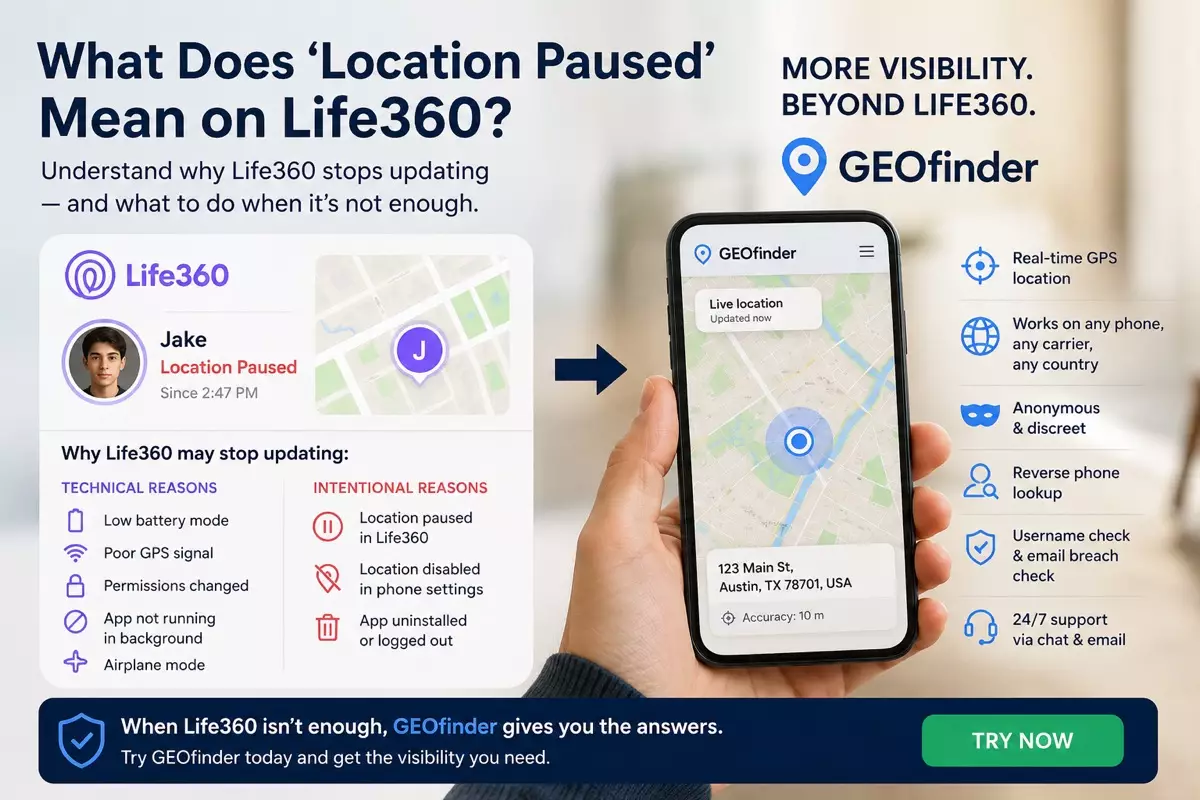
Technical reasons Life360 stops updating:
- Low battery mode. When a phone switches to low power, many background apps — including Life360 — are suspended to preserve battery life.
- Poor GPS signal. Inside buildings, underground, or in areas with weak signal, the app can’t retrieve accurate coordinates.
- App permissions changed. If location permissions for Life360 are revoked or restricted, the app loses access to GPS data.
- App not running in the background. Some phones aggressively manage background processes. If Life360 is killed by the system, it stops updating until reopened.
- Airplane mode. All location services stop when a device is in airplane mode.
Intentional reasons Life360 stops updating:
- The user manually paused their location. Life360 allows members to pause sharing within the app — the result is a visible “paused” indicator to other circle members.
- Location sharing turned off in phone settings. A user can disable location access for Life360 specifically through their phone’s privacy settings, without the app displaying a clear “paused” message.
- The app was uninstalled or logged out. Removing the app or signing out stops all sharing without necessarily triggering a clear notification.
The challenge is that Life360 not updating location looks similar regardless of the cause. A frozen pin on the map could be a dead battery or a deliberate choice — and the app itself doesn’t always make the distinction clear. Knowing how to know if someone paused their location on Life360 requires looking beyond the app’s own interface.
Why Life360’s Own Tools Don’t Fully Answer the Question
Life360 is a location sharing app built around consent and transparency within a defined group. That design is its strength — and also its limitation. When location goes dark, Life360 gives you:
- A timestamp showing when location was last updated
- A status indicator (paused, unavailable, or no network)
- Notifications if a member arrives or leaves a defined place
What it doesn’t give you is confirmation of whether the pause was intentional, independent verification of where the phone actually is, or any access to location data from outside the app’s shared environment.
If the person sharing their location has paused it deliberately, Life360’s tools offer no way around that. The information simply isn’t available through the app.
When Standard Location Sharing Isn’t Enough
There are genuine situations where families need location visibility that goes beyond what a standard location sharing app can provide:
- A teenager who has paused or disabled sharing but is expected to be somewhere specific
- A family member traveling whose Life360 has gone dark and isn’t responding to messages
- Verifying whether a pause was intentional before having a potentially difficult conversation
- Situations where Life360 isn’t installed on the target phone at all
In all of these cases, a separate tool that operates independently of Life360 provides the additional layer of visibility that the app itself can’t offer.
How GEOfinder Provides Visibility Beyond Life360
GEOfinder operates as a browser-based GPS tool that works entirely independently of Life360 or any other location sharing app. It doesn’t require installation on the target device and doesn’t depend on the other person having any particular app running.
The process is simple: enter the phone number, send a discreet SMS with a secure link, and when the recipient opens it, their live GPS location appears on your private dashboard — street-level accuracy, real-time updates, no app required on their end.
What GEOfinder adds beyond Life360:
- Location access without relying on a shared app the other person can pause or disable
- Works on any phone, any carrier, any country
- Anonymous — your identity isn’t revealed during a lookup
- Reverse phone lookup, username verification, and email breach checking available from the same dashboard
- A trial is available before committing to a subscription, and 24/7 support runs via chat and email
Verdict
A “location paused” message on Life360 can mean a dozen different things — from a dead battery to a deliberate choice. The app itself doesn’t always distinguish between them, and when a family member genuinely needs to know the difference, Life360’s tools run out quickly.
GEOfinder fills that gap. As a standalone GPS tool that operates independently of any location sharing app, it delivers real-time location data from any phone without requiring the app to be running, enabled, or even installed. For anyone navigating the uncertainty that comes with Life360 not updating location, it’s the most practical next step.