

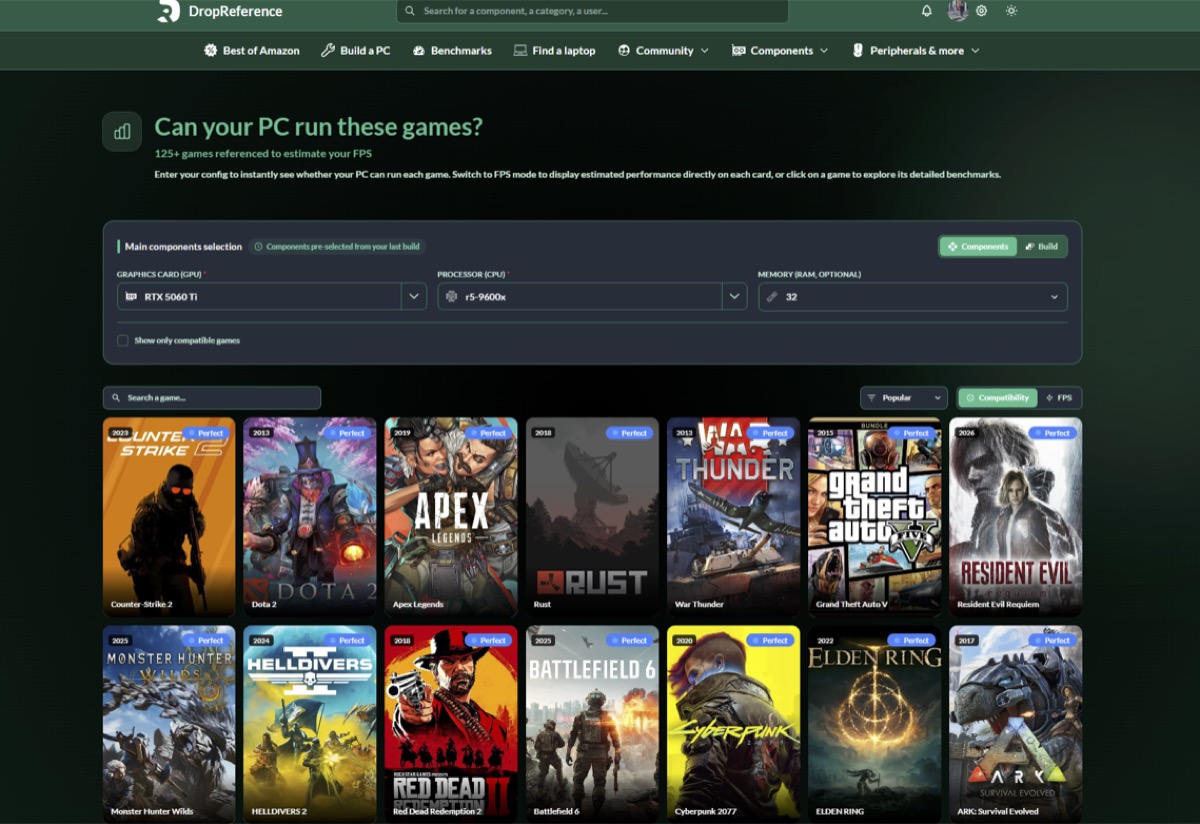
When you’re building or upgrading a gaming PC, there’s always one question that comes up: how many FPS will I actually get in my favorite games? Specs are nice on paper, but translating them into real in-game performance isn’t always straightforward. That’s exactly where DropReference comes in.
Unlike traditional hardware comparison tools that only focus on raw specs, DropReference takes a more practical approach. It helps you estimate your FPS across a wide range of games based on your actual hardware configuration.
Why estimating FPS is harder than it looks
A lot of gamers assume that knowing their GPU model is enough to predict performance. In reality, FPS depends on a combination of factors:
- CPU performance (especially in competitive games)
- GPU capabilities (obviously, but not alone)
- RAM size and speed
- Game optimization
- Resolution and graphics settings
This is why generic benchmarks often feel disconnected from real-world usage. You might see a GPU ranked highly, but still experience disappointing FPS in specific games.
A tool designed for real gaming scenarios
Estimate your FPS on 125+ games lies in its simplicity and relevance. Instead of forcing you to interpret complex benchmark charts, the platform allows you to:
- Select your CPU and GPU
- Choose a game from a large catalog
- Adjust resolution and settings
- Instantly see an FPS estimation
It’s quick, intuitive, and most importantly, focused on what matters: your actual gaming experience.
More than just a benchmark tool
What makes DropReference interesting is that it doesn’t stop at FPS estimation. It’s part of a broader ecosystem designed for gamers who want to optimize their setup:
- Compare hardware prices in real time
- Discover complete PC builds
- Track availability of components
- Explore community configurations
This combination of performance estimation and market tracking makes it especially useful if you’re planning a new build or trying to upgrade efficiently.
Who is it for?
DropReference is useful whether you’re:
- Building your first gaming PC
- Upgrading your GPU or CPU
- Trying to hit a specific FPS target (144Hz, 240Hz, etc.)
- Comparing different configurations before buying
Even experienced gamers can benefit from quickly testing “what-if” scenarios without digging through dozens of benchmark videos.
A practical way to plan your setup
Let’s be honest: watching YouTube benchmarks for every possible configuration is time-consuming. And often, you won’t find the exact combination of components you’re considering.
That’s where tools like DropReference make a real difference. Instead of guessing, you can simulate your setup in seconds and get a solid idea of what to expect.
Final thoughts
If you’re serious about gaming performance, relying only on specs or generic rankings isn’t enough anymore. Tools that bridge the gap between hardware and real gameplay are becoming essential.
DropReference does exactly that by giving you a fast, accessible way to estimate FPS across a large selection of games. Whether you’re planning a build or just curious about your current setup, it’s definitely worth checking out.