

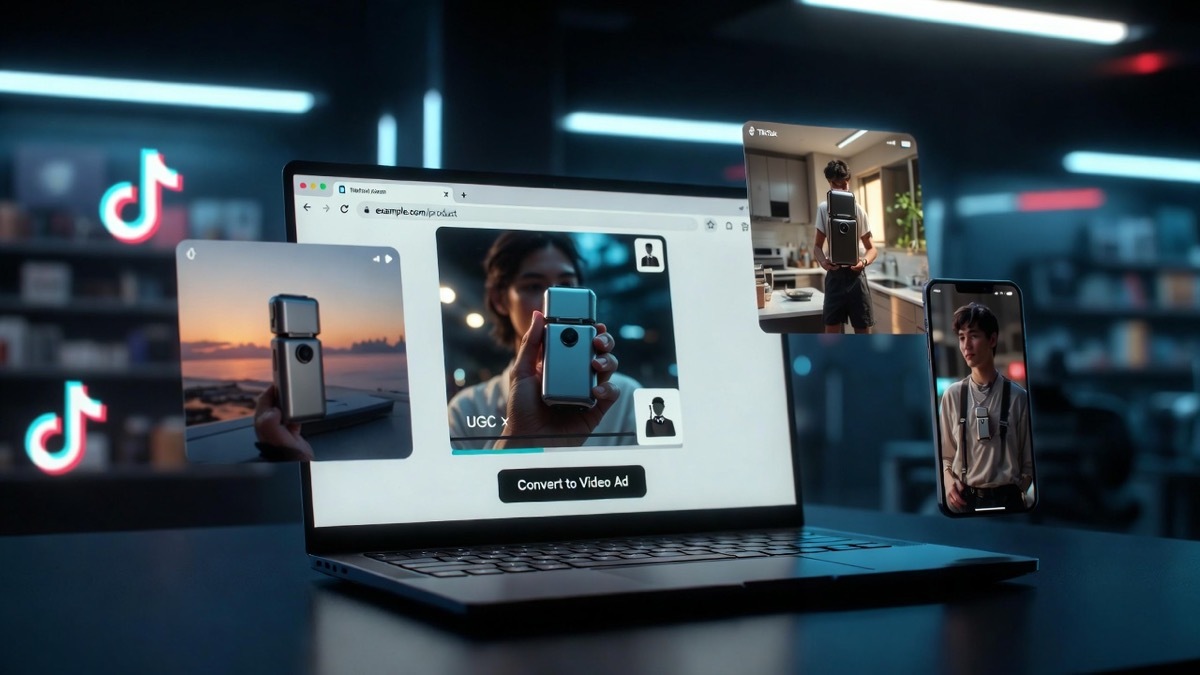
URL-to-video tools let an ecommerce team paste a product page link and get back a finished video ad, with a script, presenter, captions, and product visuals assembled automatically in minutes. The three worth knowing for ecommerce specifically are Creatify, Pictory, and InVideo, each of which reads a product URL and turns it into shareable video without anyone filming or editing. For teams running paid social, this removes the single biggest bottleneck in advertising, which is producing enough fresh creative to keep campaigns from stalling.
What makes these tools different from generic video software is that they start from your store, not from a blank canvas. They scrape the product title, images, price, and description straight off the page, so the video is grounded in real product data from the first second. That is exactly what an ecommerce team needs, because the goal is not one beautiful video; it is many good enough videos produced fast enough to test and iterate on.
Why Ecommerce Teams Need URL-to-Video in the First Place
The problem these tools solve is creative volume. Paid social ads fatigue quickly, and industry data has long suggested most ad creatives lose effectiveness within a week or two of heavy spend, which means a store running ads needs a constant supply of new videos just to hold performance steady. Producing that volume the traditional way, through filming or manual editing, is slow and expensive enough that most small and mid-sized ecommerce teams simply cannot keep up.
A single professionally produced product video can cost 1,500 to 5,000 dollars and take weeks to deliver, and a catalog of dozens of products makes that math impossible. URL-to-video tools replace the entire per-video cost with a monthly subscription, usually somewhere between 20 and 150 dollars, and cut production time from weeks to minutes. For a store adding new products regularly, that is the difference between running video ads across the whole catalog and running them on almost nothing.
There is a workflow benefit that matters just as much as cost. Because the video starts from a URL, anyone on the team can produce one, not just the person who knows how to edit. A marketer, a founder, or a virtual assistant can generate a batch of ads from a list of product links, which decentralizes creative production in a way that traditional video never allowed.
- Creatify for High-Volume Performance Ads
Creatify is built around exactly this use case, which is turning product links into performance-focused video ads at scale. You give it a product URL, it pulls the details and generates an ad with a scripted hook, an AI presenter in a UGC selfie style that mimics real creator content, and captions timed to the voiceover. The output leans toward the authentic, scroll-stopping look that tends to outperform polished corporate video on TikTok and Meta.
Its strength for ecommerce is variation and speed. You can generate 20 or 30 versions of an ad from a single product, each with a different hook, avatar, and angle, then push spend toward the winners, which is how serious paid social teams actually operate. The ability to paste a link and get a full video ad with AI, then repeat that across an entire catalog in an afternoon, is what makes it viable for stores that need creative at volume rather than one hero video per launch. Pricing sits in the accessible range for small teams, and because you start from a link, the learning curve is short enough that a non-editor can be productive on day one.
The tradeoff is that its UGC style suits direct response advertising more than brand storytelling. If you want a cinematic hero video for a homepage, this is not the tool, but for the daily grind of feeding paid social with testable creative, it is aimed squarely at the job.
- Pictory for Repurposing Content Into Product Videos
Pictory approaches video from the content side rather than the avatar side, which gives ecommerce teams a different kind of value. It can take a product URL, a blog post, or a longer piece of content and turn it into a video by matching the text to relevant stock footage, adding captions, and layering in music, all without a presenter by default. The result looks more like a clean montage ad than a spokesperson video.
For an ecommerce team, Pictory shines at repurposing. If you already publish buying guides, product roundups, or blog content, it can convert those into short videos that link back to your store, which extends the reach of work you have already done. It is also useful for turning product descriptions and reviews into simple, caption-led clips suited to feeds where a talking head might feel too heavy. The subscription sits at the affordable end, often with a usable free tier, which makes it a low-risk starting point for a team testing whether video ads move the needle before committing budget.
The limit is that stock footage montages, however slick, can start to feel generic when every competitor draws from the same libraries, so Pictory works best when paired with genuinely distinctive copy or your own product footage dropped in.
- InVideo for Template-Driven Ad Production
InVideo rounds out the three with a template-first approach that suits teams who want more manual control. It can generate video from a URL or a text prompt, but its real draw is a large library of ecommerce ad templates that give you a proven structure to start from, then let you swap in your own product images, clips, and copy. That balance between automation and control appeals to teams that want speed without surrendering every creative decision to the tool.
For ecommerce specifically, the template library covers common formats like product showcases, sale announcements, and testimonial-style ads, which lets a team stay consistent across a campaign while producing quickly. It handles multiple aspect ratios cleanly, so the same ad can be exported for a vertical Reel, a square feed post, and a wider YouTube placement without rebuilding it three times. Like the others, it runs on an affordable monthly plan with a free tier, making it accessible to smaller stores.
InVideo asks a little more effort than the fully automated options, since templates still need populating and adjusting, but that effort buys a more polished, on-brand result. Teams that care about visual consistency across a campaign often find that worth the extra few minutes per video.
Choosing the Right Tool for Your Store
The right pick depends on how you run ads and what you value most. If you live in paid social and need high volume UGC style creative to test relentlessly, a performance-focused tool built around product links and rapid variation is the match. If you want to recycle existing content and product descriptions into simple caption-led clips, a content-driven tool fits better, and if you value template-based control and visual consistency across a campaign, a template-first platform makes more sense.
Store size and stage shift the decision too. An early store with a handful of products and a tight budget is served fine by a free tier and light usage, while a growth stage team burning through dozens of creatives a week gets more from a tool designed for iteration, even at a higher tier. Many teams end up using two, one for volume testing and one for polished brand moments, since the tools are cheap enough that stacking them rarely strains a marketing budget.
The consideration worth weighing before you commit is that these tools have made producing product video effortless, which means the video itself is no longer the advantage. When every store can generate slick ads from a URL, the edge shifts back to knowing your customer, writing a hook nobody else has thought of, and understanding which products actually deserve the ad spend. Pick the tool that matches your workflow, then put your real effort into the testing discipline behind it, because that is where the returns actually come from.