

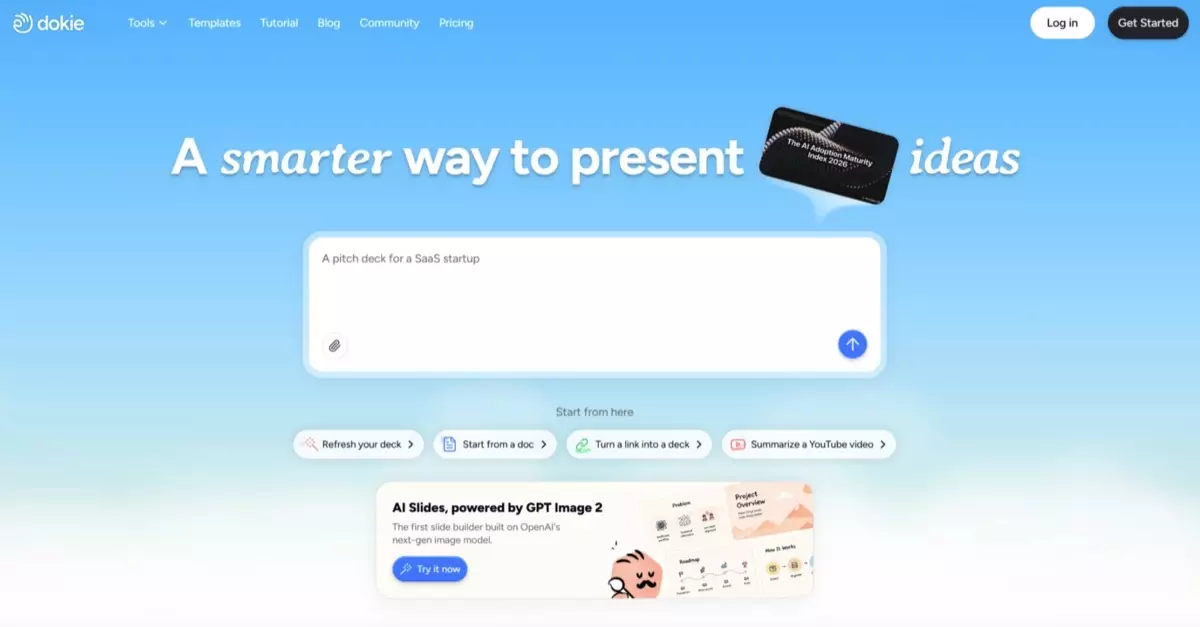
Dokie is an AI presentation maker designed to help users create professional, brand-aligned slide decks from ideas, documents, notes, URLs, templates, and reference materials.
It can generate presentations, support style direction, help refine layouts, and allow users to make targeted edits after generation. This makes it useful for business-ready presentations where users need more than a quick draft.
The important part is the workflow.
Many AI presentation tools can generate a first version. But once the user needs to make changes, they often fall back into manual editing. The user still has to move objects, fix formatting, align text, adjust spacing, and make the deck look consistent.
Dokie is stronger because it focuses on what happens after generation. Users can keep adjusting the deck through chat-based instructions and targeted edits instead of rebuilding slides manually.
That makes it especially useful for business decks, client presentations, marketing reports, sales materials, pitch decks, training slides, classroom presentations, and team updates.
The Manual Grid Editing Trap
The manual grid editing trap happens when presentation work becomes layout maintenance instead of communication.
A user starts with a deck. Then they need to make one change.
A title gets shorter.
A bullet list becomes too long.
An image needs to be replaced.
A section needs to move.
A timeline needs one more step.
A chart needs a new label.
A slide needs to match the template.
Suddenly, the user is not thinking about the message anymore. They are moving boxes, resizing elements, checking alignment, adjusting margins, and trying to make the slide look balanced again.
This is the trap.
The user wanted to revise a presentation. Instead, they became a grid editor.
For designers, that level of control can be useful. For most business users, it is a productivity drain.
Dokie helps by shifting the workflow from manual layout correction to intent-based slide editing.
Why Figma-Style Editing Is Not Always Right for Presentations
Figma-style editing is powerful for interface design, brand systems, marketing graphics, and detailed visual work. It gives designers precise control over layouts, spacing, components, grids, frames, and visual systems.
But presentations are different.
Most presentation users are not building a design system. They are trying to prepare a deck for a meeting, class, client, investor, sales call, workshop, or internal review.
They need speed, clarity, consistency, and editability.
A presentation workflow should not require every user to think like a product designer. It should help users turn content into slides that communicate clearly.
That is where manual canvas tools can become too much. The user has control, but also too much responsibility. Every small change can create formatting work.
Dokie is useful because it reduces the number of manual layout decisions users need to make.
Instead of designing every slide from a blank grid, users can describe the outcome they want and let AI help with structure and layout.
The Real Presentation Problem: Revisions Break Layouts
The biggest pain in presentation work is not always creating the first slide.
It is revising the deck after feedback.
A manager asks for a shorter executive summary.
A client asks for a new comparison slide.
A sales lead wants the deck customized for a specific industry.
A teacher wants to simplify a lesson slide.
A marketer wants the deck to match a campaign style.
A founder wants to turn dense notes into a pitch section.
Each revision can break the layout.
In manual tools, the user has to repair the slide after every change. That means more alignment, more resizing, more formatting, and more visual cleanup.
Dokie helps reduce this problem by supporting targeted changes. Users can ask for a slide to be revised while preserving the overall structure and style direction.
This is the difference between manual editing and AI-assisted slide refinement.
How Dokie Changes the Editing Model
Dokie changes the editing model from object-first to intent-first.
In a manual editor, the user thinks in objects:
Move this box.
Resize this image.
Align these shapes.
Change this font size.
Adjust this spacing.
In Dokie, the user can think in outcomes:
Make this slide cleaner.
Turn this content into a timeline.
Make the deck more executive-friendly.
Match this slide to the uploaded template.
Reduce the text and improve hierarchy.
Create a more visual comparison.
This shift matters.
Most users know what they want the slide to achieve, but they do not always know how to build it manually. Dokie helps translate that intent into slide changes.
That makes the workflow more natural for non-designers and faster for teams that need to revise decks often.
Dokie vs. Manual Grid Editing
| Workflow Area | Manual Grid Editing | Dokie AI |
| Starting point | Blank canvas or existing template | AI-generated deck from source content, notes, documents, or ideas |
| Layout changes | Manual object movement and resizing | Chat-based layout adjustment |
| Formatting cleanup | User fixes spacing, alignment, and consistency manually | User can request cleanup and style consistency |
| Brand alignment | User applies template rules manually | User can work with themes, templates, or reference styles |
| Revision workflow | Every change may create new formatting work | Targeted edits can reduce rebuilding |
| User skill required | Higher visual and layout judgment | Lower design burden for non-designers |
| Best for | Designers needing precise control | Business users needing faster, cleaner decks |
| Biggest risk | Too much manual slide maintenance | Still requires human review for final quality |
Dokie Review: Where It Saves the Most Time
Dokie saves the most time in the parts of presentation work that are repetitive but still important.
These include:
Turning bullet-heavy slides into cleaner layouts
Changing a slide into a comparison, process, or timeline
Cleaning spacing and alignment
Applying a style direction
Simplifying dense slides
Making a deck more executive-friendly
Adding or replacing visuals
Keeping slides visually consistent
Revising one slide without regenerating the whole deck
These tasks are not always creatively difficult, but they are time-consuming in manual tools.
Dokie is useful because it reduces the number of small mechanical edits users need to make.
That is where the productivity gain comes from.
Test Scenario: Revising a 15-Slide Business Deck
Imagine a team has a 15-slide business deck.
The deck includes:
Title slide
Executive summary
Problem statement
Market overview
Product solution
Feature breakdown
Customer pain points
Competitive comparison
Workflow slide
Roadmap
Pricing
Case study
Implementation plan
Next steps
Closing slide
The content is mostly correct, but the deck is not ready. Several slides are too text-heavy. The comparison slide is hard to read. The roadmap looks messy. The formatting is inconsistent. The deck needs to match a company template.
In a manual grid-based workflow, this could easily become a long editing session.
The user would need to move objects, resize shapes, adjust spacing, replace images, apply colors, fix font sizes, and check every slide.
With Dokie, the user can approach the revision differently.
They can ask for specific outcomes:
Make the executive summary more concise.
Turn the roadmap into a cleaner timeline.
Change the competitor slide into a comparison layout.
Apply the uploaded template style.
Fix formatting consistency across the deck.
Make the next steps slide more action-oriented.
This does not remove the need for review, but it removes much of the manual layout labor.
Escaping the Blank Canvas Problem
Blank canvases are powerful, but they are not always productive.
A blank canvas asks the user to make too many decisions:
What should the slide structure be?
Where should the title go?
How many content blocks should there be?
Should this be a timeline or a list?
Should this be a comparison or a framework?
How much text is too much?
Which visual should support the message?
How should the slide match the rest of the deck?
For professional designers, those decisions are part of the job. For most business users, they slow everything down.
Dokie helps users avoid the blank canvas problem by generating a structured starting point. The user can then refine the deck instead of building every slide from nothing.
That is a more practical workflow for presentations.
Most users do not need unlimited freedom at the beginning. They need a strong first draft that can be improved.
Escaping the Pixel-Perfect Trap
Pixel-perfect editing has its place. A major investor deck, keynote, or brand campaign may deserve detailed design attention.
But not every presentation needs pixel-perfect manual work.
Many decks need to be clean, consistent, clear, and on-brand enough for real business use. Spending hours manually adjusting every pixel may not improve the message enough to justify the time.
The pixel-perfect trap happens when users spend more time making slides look aligned than making the argument sharper.
Dokie helps reduce that trap by automating or assisting with the layout work that usually eats up time.
Users can still review the final deck. They can still make manual changes if needed. But they do not have to start with pixel-level control as the default workflow.
Escaping the Template-Lock Trap
Templates are useful, but they can also become restrictive.
A template may work well for standard slides but poorly for custom content. A user may need a complex comparison, timeline, case study, process, pricing page, or data summary. If the template does not fit, the user either forces the content into the wrong layout or breaks the template manually.
Dokie helps by giving users more flexible slide adjustment.
A user can ask for a different layout while keeping the style direction consistent. That means the deck can adapt to the content without completely losing brand structure.
This is important because good presentations are not just template-filled documents. They are communication tools.
The layout should serve the message.
Dokie helps users reach that balance faster.
Why Chat-Based Editing Feels More Natural
Chat-based editing feels natural because presentation feedback is usually expressed in plain language.
People rarely say:
Move the secondary text block 18 pixels to the right.
They usually say:
This slide feels too crowded.
Make this more visual.
Can we show this as a timeline?
This needs to look more polished.
Make this easier for executives.
Can this match the rest of the deck?
Traditional tools force users to translate that feedback into manual design actions.
Dokie allows users to give the feedback directly as an editing instruction.
That is why chat-based slide editing is valuable. It fits the way people already talk about presentations.
Dokie for Non-Designers
Dokie is especially useful for non-designers.
Most business users can tell when a slide looks bad, but they may not know how to fix it. They may know the slide is too dense, but not how to turn it into a clean visual structure. They may know the deck feels inconsistent, but not which layout rules are broken.
Dokie helps by giving these users a more accessible editing workflow.
Instead of learning grid systems, alignment rules, typography hierarchy, and slide composition, users can describe the result they want.
That does not make design irrelevant. It simply lowers the barrier to creating professional slides.
For non-designers, Dokie can be a major productivity upgrade.
Dokie for Designers
Dokie can also help designers.
A designer may not want to spend time cleaning up basic decks, fixing simple formatting mistakes, or turning every bullet list into a better layout. These tasks are necessary, but they are not always the best use of design talent.
Dokie can help teams create cleaner drafts before the deck reaches a designer.
That means designers can focus on higher-value work:
Custom visual systems
High-stakes pitch decks
Complex data visualization
Brand templates
Keynote-style presentations
Final creative review
Premium slide polish
For designers, Dokie is not necessarily a replacement. It can be a filter that removes low-value slide production work from their queue.
Dokie for Business Teams
Business teams often need presentations under time pressure.
A manager needs a team update.
A sales rep needs a client deck.
A marketer needs a campaign report.
A consultant needs a proposal.
A founder needs a pitch.
A teacher needs lesson slides.
These users usually do not want a complex design workflow. They want a deck that communicates clearly and looks professional.
Dokie fits that need because it helps users move from content to presentation faster.
Instead of spending hours in manual grid editing, business teams can focus on the message, audience, and delivery.
Dokie for Marketing Teams
Marketing teams often care about both speed and polish.
They need decks for campaigns, product launches, client updates, sales enablement, content strategy, and performance reporting. These decks need to look good, but they also need to be produced quickly.
Manual grid editing slows marketing teams down because every deck becomes a design task.
Dokie helps by letting marketers generate and revise decks through AI-assisted workflows. They can apply a style direction, turn dense content into cleaner layouts, and keep the deck more consistent.
For marketing teams, Dokie can reduce the gap between rough campaign material and presentation-ready output.
Dokie for Sales Teams
Sales teams need fast deck customization.
A sales rep may need to adjust slides for a specific client, industry, or use case. They may need to add a case study, change a comparison slide, simplify a product section, or make a deck more executive-friendly.
In a manual editing workflow, those changes can take too long.
Dokie helps sales teams make targeted adjustments faster. They can revise slides without rebuilding the entire deck from scratch.
This makes Dokie useful for client pitches, sales proposals, product demos, and value proposition decks.
Dokie for Consultants
Consultants create presentations constantly.
They often work with research notes, client data, frameworks, analysis, recommendations, and long documents. The challenge is turning all of that into clear slides.
Manual grid editing is especially painful in consulting because decks change often. A framework changes. A recommendation is rewritten. A client asks for a new section. A data slide needs to be simplified.
Dokie helps by making layout and content revisions faster.
Consultants can use it to turn dense analysis into cleaner presentation structures and reduce the time spent fixing formatting.
Dokie for Teachers and Students
Teachers and students also benefit from escaping manual grid editing.
A student may need to turn research notes into a presentation. A teacher may need to update lesson slides. A trainer may need to revise materials for a new audience.
These users usually need clear, readable slides more than advanced design control.
Dokie helps by generating and refining structured decks. Users can simplify content, improve layouts, and keep slides consistent without spending too much time on formatting.
For education users, the biggest benefit is clarity plus speed.
What Dokie Does Better Than Basic AI PPT Generators
Basic AI PPT generators are useful for creating a first draft.
But many of them fail during revision.
Once the user needs to change a layout, apply a brand style, fix formatting, or revise a section, the workflow often becomes manual again.
Dokie is stronger because it supports continued editing.
The user can generate a deck, then ask for specific changes. This makes Dokie more practical for real presentation workflows.
A useful AI presentation tool should not only create slides. It should help users revise them.
That is where Dokie stands out.
What Dokie Does Not Replace
Dokie does not replace every design workflow.
If a team needs a fully custom brand system, a high-end keynote, complex interface mockups, custom illustrations, or pixel-perfect visual direction, a professional designer or dedicated design tool may still be necessary.
Dokie is not meant to replace Figma, PowerPoint, Canva, or design teams in every situation.
Its value is more specific: helping users create and revise business-ready presentations without getting trapped in manual slide mechanics.
For most everyday decks, that is enough to make the workflow much faster.
Pros and Cons of Dokie for Escaping Manual Grid Editing
Pros
Dokie reduces manual layout work.
It helps users create decks from source content faster.
It supports chat-based slide revisions.
It can apply templates, themes, or reference styles.
It helps users make targeted edits without full regeneration.
It reduces formatting cleanup.
It is useful for non-designers.
It helps teams focus more on message and less on alignment.
It works well for business decks, sales materials, marketing reports, training slides, and education presentations.
Cons
Dokie still requires human review.
It may not replace pixel-perfect manual design for high-stakes decks.
Designers may still be needed for custom visual systems and final polish.
Complex data visualization may require additional review.
Users should still check accuracy, claims, tone, and audience fit.
Dokie is strongest as a practical presentation workflow tool, not a full replacement for professional design software.
Is Dokie Better Than Manual Slide Editing?
For many everyday presentation workflows, yes.
Manual slide editing gives users full control, but it also creates unnecessary work. Users must manage every layout, object, spacing decision, and format change themselves.
Dokie is better when the goal is to create a clean, editable, business-ready deck quickly.
Manual editing is still better when the user needs exact control over every visual detail.
The right workflow may combine both:
Use Dokie to generate and revise the deck.
Use manual editing only for final precision changes.
This saves time while preserving control where it matters.
Is Dokie Worth It?
Dokie is worth considering if you regularly spend too much time formatting slides, fixing layouts, or revising decks after feedback.
It is especially useful for teams that create many presentations and do not have unlimited design support.
The value increases when decks are complex, frequently revised, or brand-sensitive.
If you only create one simple presentation occasionally, Dokie may not feel essential. But if presentations are part of your weekly workflow, escaping manual grid editing can save serious time.
Dokie is worth trying because it changes the role of the user.
Instead of becoming a layout mechanic, the user can focus on communication.
Final Verdict
Dokie helps users escape the Figma-style manual grid editing trap by changing how presentation editing works.
Instead of dragging every object, fixing every alignment issue, and manually rebuilding every layout, users can describe the change they want and let AI help revise the deck.
This is not about replacing design tools entirely. Figma-style tools are excellent for detailed design work. The problem is using that kind of manual grid workflow for every presentation revision.
Most users do not need to become designers. They need slides that communicate clearly, look professional, stay editable, and can be finished quickly.
Dokie is strong because it supports that practical workflow.
It helps users generate decks, apply style direction, make chat-based adjustments, refine layouts, and avoid full regeneration for small changes.
The honest verdict: Dokie will not replace every design tool or every designer. But it can replace a large amount of manual slide formatting work.
For business users, marketers, sales teams, consultants, teachers, students, and founders, that may be exactly the upgrade they need.
FAQs
What is Dokie AI?
Dokie AI is an AI presentation maker that helps users create, edit, and refine professional, brand-aligned slide decks from ideas, documents, notes, URLs, templates, and reference materials.
What is the manual grid editing trap?
The manual grid editing trap happens when users spend too much time moving objects, fixing alignment, adjusting spacing, resizing elements, and manually maintaining slide layouts instead of focusing on the presentation message.
Is Dokie better than manual slide editing?
Dokie is better for many everyday presentation workflows because it reduces manual layout and formatting work. Manual editing is still useful when users need pixel-perfect control.
Can Dokie replace Figma?
No. Dokie is not a replacement for Figma as a design platform. It is a presentation workflow tool that helps users avoid using Figma-style manual editing for everyday slide revisions.
Can Dokie replace PowerPoint?
Dokie may reduce the need for manual PowerPoint editing, but it may not replace PowerPoint for every workflow. Many users may still use PowerPoint for final adjustments.
How does Dokie help with slide revisions?
Dokie helps users revise slides through chat-based instructions. Users can ask for layout changes, formatting cleanup, visual updates, text simplification, and style matching.
Can Dokie follow a template or reference style?
Yes. Dokie supports workflows where users can upload themes, templates, or reference files to help keep presentations aligned with a style direction.
Does Dokie require design skills?
Dokie reduces the need for design skills. Users can describe the outcome they want instead of manually designing each slide.
Is Dokie good for business decks?
Yes. Dokie is useful for business decks, sales presentations, marketing reports, pitch decks, client proposals, executive updates, and training materials.
Is Dokie good for non-designers?
Yes. Dokie is especially useful for non-designers who need professional slides but do not want to spend hours on manual formatting and layout work.
Is Dokie useful for designers?
Yes. Dokie can help designers by reducing low-value slide cleanup work and creating cleaner drafts before final design review.
What does Dokie do better than basic AI PPT generators?
Dokie is stronger for post-generation editing. It helps users keep refining slides after the first draft instead of forcing them back into manual editing.
Does Dokie still need human review?
Yes. Users should review final decks for accuracy, tone, audience fit, brand consistency, and overall presentation quality.
Who should use Dokie?
Dokie is best for business users, marketers, sales teams, consultants, founders, teachers, students, and anyone who regularly creates or revises presentations.
Should I try Dokie?
Yes, if you often spend too much time fixing slide layouts, formatting issues, and manual presentation revisions. Dokie is worth trying if you want to create cleaner decks with less manual grid editing.