

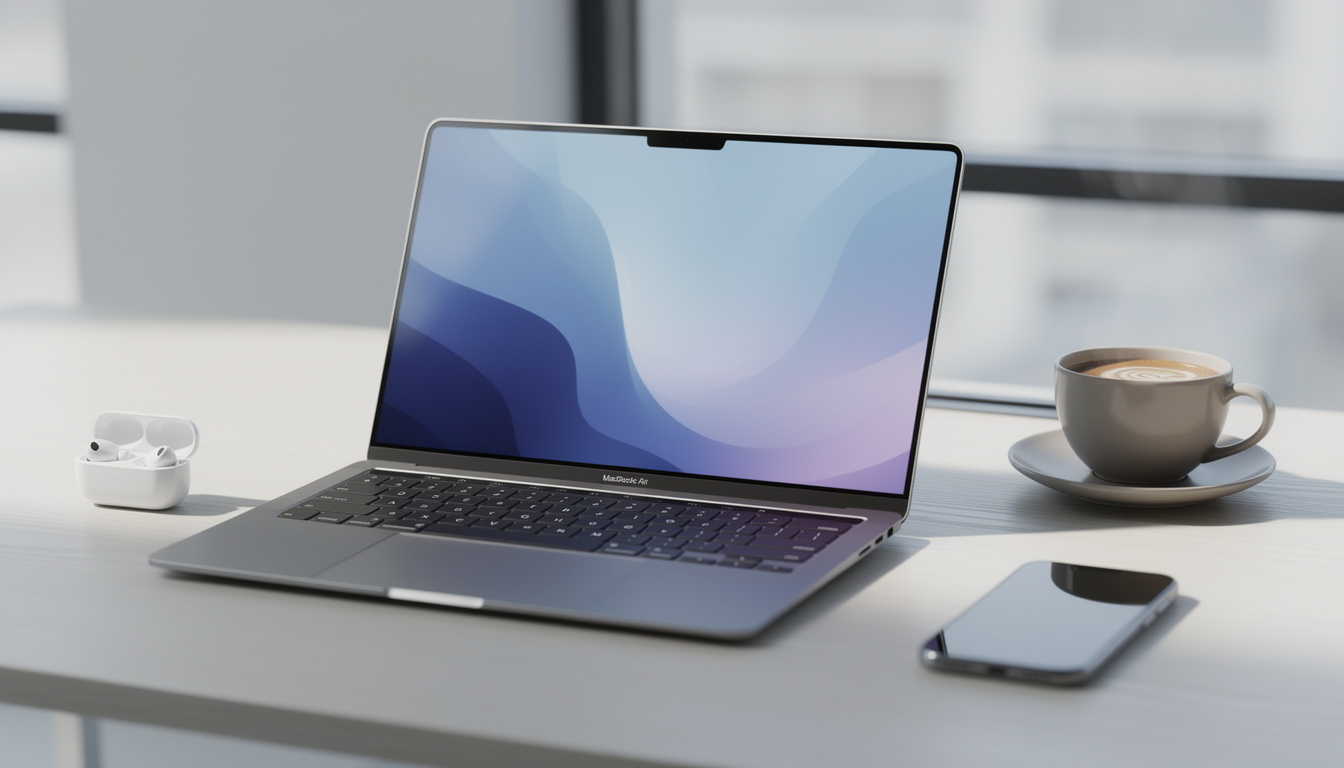
M5 MacBook Air review: why it remains the top choice for nearly everyone comes down to a simple fact. Most people want a laptop that feels fast at breakfast, stays cool through meetings, and still has battery left late at night. Apple’s latest Air does not change the formula much, yet the small updates stack up in ways people notice every day.
M5 MacBook Air Review: Why Most Buyers Still Pick It
M5 MacBook Air Review: Why It Remains the Top Choice for Nearly Everyone starts with the same truth that shaped recent Air models. This laptop sits in the sweet spot between price, speed, battery life, weight, and build quality. The change from M4 to M5 is modest on paper, though modest upgrades across storage, graphics, memory headroom, and display support keep the Air ahead of what most buyers need.
The biggest shift is the new base configuration. The 13-inch model now starts at $1,099, which looks worse at first glance because the old $999 entry point is gone. Yet Apple also moved base storage to 512GB, replacing the older 256GB setup that often felt tight after a year of photos, apps, local files, and offline media. For many shoppers, this turns the price increase into a trade most would have made anyway.
M5 MacBook Air Review: Why It Remains the Top Choice for Nearly Everyone also makes more sense when placed next to the rest of Apple’s lineup. The MacBook Neo now handles the entry role, while the MacBook Pro keeps the premium extras such as HDMI, SD card, brighter mini-LED screens, ProMotion, and active cooling. That leaves the Air in a strong middle lane. It is no longer the cheapest Mac laptop, but it is still the one people buy when they want the fewest regrets.
Think about a common buyer profile. A college student edits short videos, joins video calls, keeps twenty browser tabs open, and syncs work across cloud apps. A consultant moves between airports, conference rooms, and hotel desks. A developer runs local containers, code editors, and design assets without wanting a heavy machine. The Air handles all of this with less friction than most Windows thin-and-lights in the same price band.
Its long-term story matters too. Since the first Apple Silicon Air, the product line gained a redesign, MagSafe, a 15-inch option, higher base memory, better support for two external displays, and stronger GPU performance. M5 MacBook Air Review: Why It Remains the Top Choice for Nearly Everyone is not about one flashy new feature. It is about how five years of steady fixes removed the old reasons people felt pushed toward a Pro.
Quick comparison helps:
| Model | Starting Price | Base Storage | Best For |
|---|---|---|---|
| M5 MacBook Air 13-inch | $1,099 | 512GB | Students, office work, daily creative tasks |
| M5 MacBook Air 15-inch | $1,299 | 512GB | People who want more screen space |
| MacBook Pro with M5 | Higher tier | More configurable | Sustained heavy workloads, pro display needs |
For a deeper look at current model positioning, this overview of the M5 MacBook Air in 2026 outlines why the Air still sits at the center of Apple’s laptop range. The key point is simple. This is the laptop people buy when they do not want to overthink the purchase.
M5 MacBook Air Review: Why Performance Gains Matter Over Time
M5 MacBook Air Review: Why It Remains the Top Choice for Nearly Everyone gets stronger once performance is viewed across several generations instead of a single year. Against the M4 Air, the gains are mild. Single-core speed rises by around 10 to 15 percent, multi-core results land closer to 15 to 20 percent, and graphics climb by roughly 30 percent in many tests. For owners of last year’s machine, this is not a must-buy update.
Against the original M1 Air, the picture changes. The M5 version is close to twice as fast in many multi-core and GPU workloads. Single-core results sit roughly 65 to 80 percent ahead, helped in part by peak clock speeds moving from about 3.2 GHz on M1 to roughly 4.6 GHz on one of the M5’s high-performance cores. That matters for people still using early Apple Silicon systems and wondering if 2026 is the right time to move on. This looks like the generation where the upgrade feels easy to justify.
The fanless design still shapes the story. Under long rendering jobs, 3D work, or heavy video encoding, the Air lowers clock speeds faster than a MacBook Pro because there is no fan to hold peak performance. That is not a flaw. It is the trade that keeps the laptop silent, thin, and light. For bursty work, which is how most people use a laptop, the difference feels small. For sustained loads, the Pro keeps its lead.
That split is why the Air works so well for broad audiences:
- Web and office work feel instant
- Photo editing runs smoothly for hobbyists and many professionals
- Light to medium video work fits comfortably thanks to Apple’s media engines
- Code compilation and app testing perform well for mobile and web development
- Gaming is better than before, though still below a cooled Pro under long sessions
M5 MacBook Air Review: Why It Remains the Top Choice for Nearly Everyone also benefits from efficiency. Battery life still ranks among the main reasons people keep choosing this machine. A full day is routine, and light users often stretch well beyond that. In a market where slim laptops still ship with odd compromises, weaker endurance, or loud cooling profiles, the Air feels predictable in the best way.
One more point matters for practical buyers. The M4 Air has now become a stronger value in refurbished channels and remaining retail stock. If an M4 model with 16GB of memory and the right storage size drops far enough in price, it stays a smart buy. Still, the M5 version adds a stronger base setup and more headroom, which is why M5 MacBook Air Review: Why It Remains the Top Choice for Nearly Everyone holds up even without dramatic headline features. Small annual gains become a solid five-year leap, and that is where this laptop earns its place.
Want to see how reviewers frame the year-over-year speed jump and everyday experience? Video coverage helps separate benchmark noise from real use.
M5 MacBook Air Review: Why the Air Beats Cheaper and Pricier Alternatives
M5 MacBook Air Review: Why It Remains the Top Choice for Nearly Everyone depends on context. The cheaper option in Apple’s lineup looks tempting, especially for people who once treated the Air as the low-cost Mac by default. But a lower sticker price does not always mean better value. The MacBook Neo starts much lower, yet its limits show up faster with memory-heavy apps, demanding browser sessions, games, and creative tools. In raw speed, the M5 Air sits around 25 to 50 percent faster in single-core tests and often two to three times faster in multi-core or graphics-heavy work.
That gap matters more than a benchmark chart suggests. A family laptop often shifts roles during its life. It starts with email and school documents. Then it takes on photo libraries, 4K clips from a phone, design software, basic coding, or light freelance work. The Air gives room for those changes. A cheaper machine saves money on day one, then runs out of flexibility on day 600.
The MacBook Pro sits on the other side of the equation. Yes, it has the better screen, more ports, higher maximum memory, and stronger sustained output. Yes, creative pros who edit large video projects daily or rely on HDR workflows still belong there. Yet many people who think they need a Pro often want one feature, not the whole package. The Air has steadily erased those pain points by adding two external display support, higher memory ceilings, larger storage options up to 4TB, and enough speed for demanding daily work.
Here is where buying advice gets clearer:
M5 MacBook Air Review: Why It Remains the Top Choice for Nearly Everyone points to the 13-inch model for portability first. The 15-inch version suits readers who spend all day in spreadsheets, timelines, or split-screen work and want more space without stepping up to a Pro. The Pro only becomes the obvious answer when your tasks pin every core for long stretches or your workflow depends on the display and port advantages.
A short decision table makes the split easier.
| Your Priority | Best Pick | Reason |
|---|---|---|
| Lowest Apple laptop price | MacBook Neo | Good for basic use, with more limits |
| Best balance for most people | M5 MacBook Air | Stronger performance, better long-term value |
| Heavy sustained pro workloads | MacBook Pro | Cooling, display, ports, and headroom |
The Air still has flaws. The notch is still there. The display stays at 60Hz. Apple keeps its nicest screen features for the Pro line. Yet none of those issues changes the main result. M5 MacBook Air Review: Why It Remains the Top Choice for Nearly Everyone stands because the machine asks for few compromises where most people will notice them. If there is a better sign of a mature laptop, it is hard to find.
For broader buyer research, readers often compare hands-on takes, retailer deals, and owner feedback before choosing size and storage. Checking a recent guide to the latest M5 MacBook Air configuration options helps narrow the decision fast. Share this review with someone choosing between the Air, the Neo, and the Pro, because this is one of those purchases where the middle choice wins.
Size matters more than spec sheets suggest, so seeing the 13-inch and 15-inch models in real-world use helps.
Is the M5 MacBook Air worth upgrading to from an M4 Air?
For most M4 owners, no. The gains are noticeable in benchmarks and some graphics tasks, though daily use will feel similar. The M5 makes more sense for buyers coming from M1 systems or older Intel Macs.
Is 16GB of memory enough on the M5 MacBook Air?
Yes for most people. Web work, office apps, coding, photo editing, and light video projects fit comfortably. Users with heavier professional workflows should look at higher memory options or the MacBook Pro line.
Should buyers choose the 13-inch or 15-inch model?
Pick the 13-inch model if portability comes first. Pick the 15-inch version if you spend hours in side-by-side windows, timelines, or spreadsheets and want more screen space without extra Pro features.
Does the fanless design hurt performance?
Only during long, demanding tasks such as sustained exports, rendering, or extended gaming sessions. For normal daily work, the silent design brings more benefits than drawbacks.