

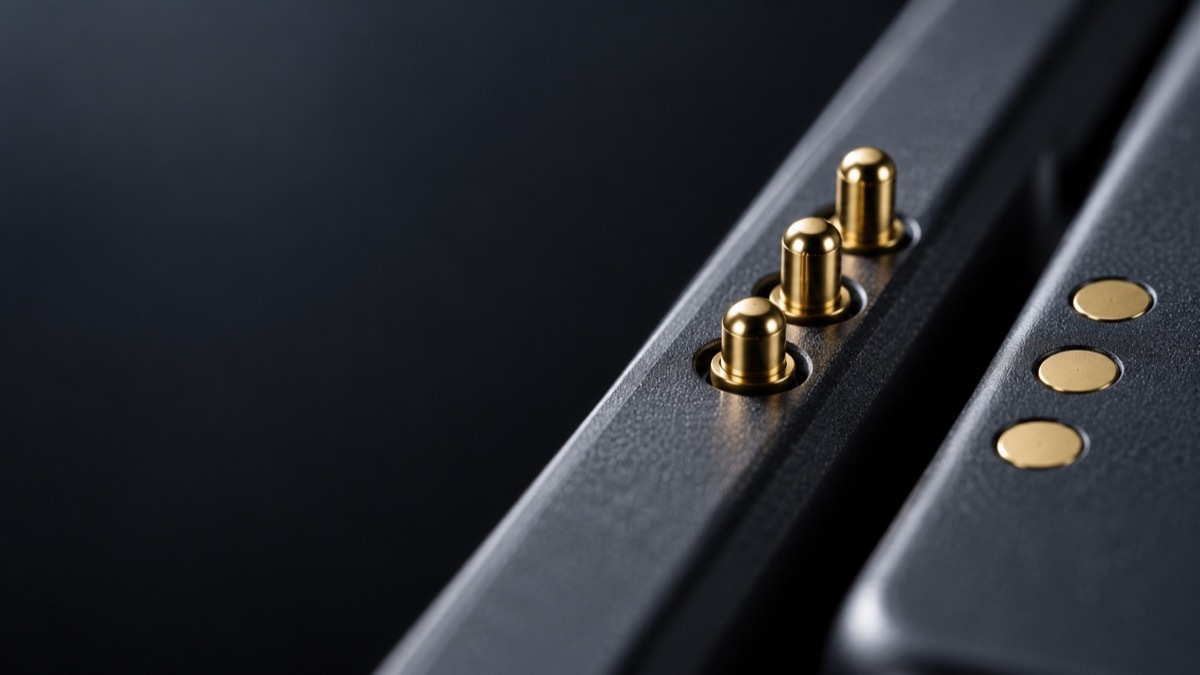
Snap a keyboard onto an iPad Pro, a Surface Pro or a Galaxy Tab and it simply works. There is no cable, no pairing screen and no battery in the keyboard to charge. The tablet powers the keyboard and reads every keystroke through a small strip of metal contacts along its edge.
Those contacts are pogo pins, and the reason they won over USB-C for this job says a lot about how hardware engineers think about wear, sealing and thickness.
What a pogo pin actually is
A pogo pin is a tiny spring-loaded connector. A plunger sits inside a barrel with a spring behind it. When a mating surface presses on the plunger, the spring compresses a millimetre or two and holds the contact under steady pressure, typically in the tens of grams.
Nothing inserts into anything. The pin simply presses against a flat pad. That single design decision explains nearly every advantage that follows.
The problem with ports
USB-C connectors are rated for around 10,000 insertion cycles. That is plenty for a charging cable used once or twice a day. It is not plenty for a keyboard that gets attached and detached several times a day, every day, for years, often at an angle and in a hurry.
A port also has to be an open hole in the chassis, which is an entry point for dust, lint and moisture. And a receptacle adds depth, which matters in a device whose whole selling point is how thin it is.
Pogo pins remove all three problems. Well-specified pins with a thicker gold layer are rated in the hundreds of thousands to around a million cycles. The pins sit flush with the housing. And because there is no opening, sealing the device against water and dust becomes far easier.
Why the magnets matter
A spring contact still needs to land exactly on its pad. That is where magnets come in. Place a keyboard near the tablet edge and the magnets pull the two parts into the same position every time, compressing the pins to the correct depth.
The user never aligns anything. The magnet layout handles the engineering tolerance, and the spring absorbs whatever small offset remains.
The numbers that decide whether it works
Designing a connector for a tablet comes down to a handful of specifications, and they trade off against each other.
Contact resistance is the first. Keeping it at or below around 50 milliohms means power reaches the accessory without meaningful voltage drop or heat. Current capacity is typically a few amps per pin, and designs that need more power simply add pins.
Pin count sets what the connector can do. Two contacts carry power and ground for charging only. Three add a data line, which Apple uses for the Smart Connector on iPad keyboards. Five to eight contacts support docking stations with several data channels.
Plating thickness sets lifespan. Gold is used because it does not tarnish, and a nickel layer underneath stops the base metal from creeping through. Around 0.5 microns of gold is suited to accessories connected a few times a day; around 1.0 micron is what reaches the million-cycle range. For a detailed breakdown of materials, spring forces and pin configurations used in a pogo pin tablet design, component manufacturers publish specification guides that are worth reading before committing to a layout.
What goes wrong
Pogo connectors are durable, but they are not immune to failure, and the causes are predictable.
Contamination is the most common. Skin oil, lint and dust on the pads raise resistance until charging becomes unreliable or keystrokes drop. Wiping the contacts with isopropyl alcohol on a cotton swab usually fixes it.
Spring fatigue comes next. A pin used beyond its rated cycle count loses force, and the connection becomes intermittent. This is a specification problem rather than a user one: the fix is choosing a pin rated for the real duty cycle.
Plating wear is the slowest. Once thin gold wears through, the metal underneath corrodes and resistance climbs. Thicker plating costs more and delays this by years.
What this means if you own one
For users, a few habits keep a pogo connection working for the life of the device.
Clean the contacts every few weeks. A cotton swab lightly dampened with isopropyl alcohol, on both the tablet edge and the keyboard hinge, takes a minute. Let it dry before reattaching.
Watch for the early signs. A keyboard that occasionally stops responding, or a backlight that flickers when you move the tablet, is almost always dirty or misaligned contacts rather than a failing keyboard.
Be careful with third-party cases. A case that adds even a millimetre between tablet and keyboard can stop the magnets seating the pins fully, and the result looks exactly like a hardware fault.
Check compatibility before buying an accessory. Pin layouts differ between models and even between generations of the same tablet, so a keyboard that fits physically may not connect electrically.
Where this is heading
The same logic now shows up well beyond keyboards. Rugged tablets used in warehouses and field service dock through pogo contacts because a port would not survive the environment. Smartwatches and fitness bands charge through them. Medical handhelds use them because a sealed surface is easier to disinfect than an opening.
USB-C is not going anywhere. It remains the right answer for a cable you plug in occasionally. But for a connection that has to survive constant use, stay sealed and add almost no thickness, a spring and a gold-plated pad have proved hard to beat.