

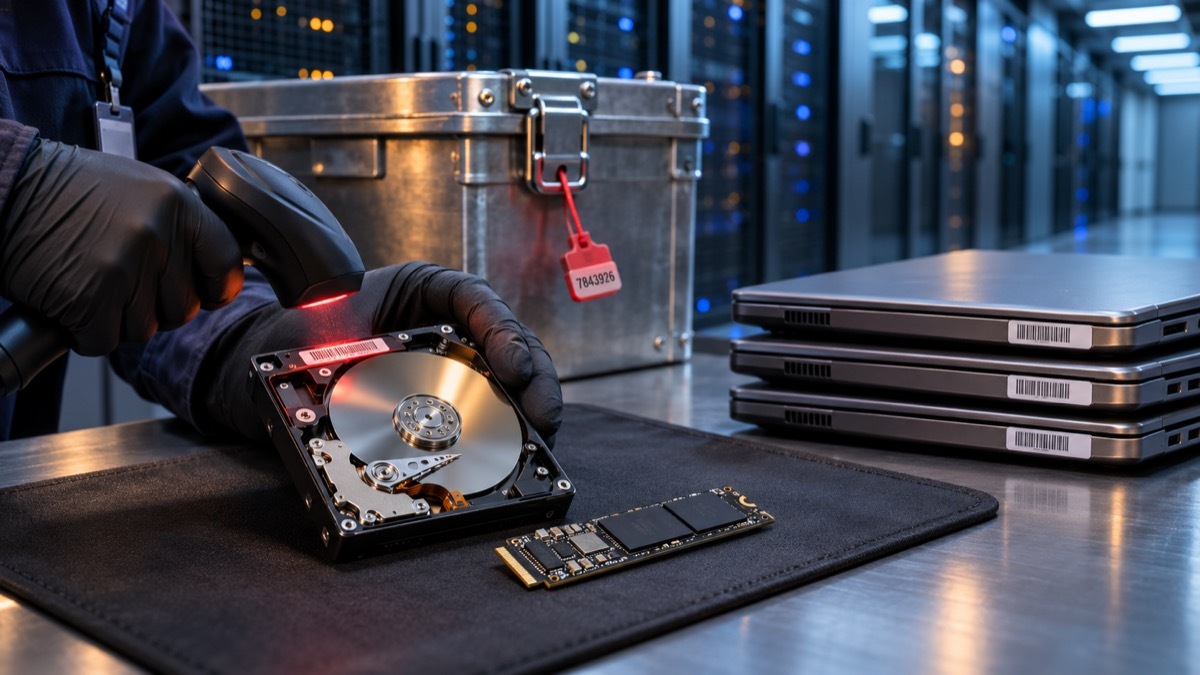
Security budgets tend to follow the data while it is moving: firewalls, endpoint detection, identity controls, cloud posture tools. Far less attention goes to the moment a laptop, server or storage array leaves service. Yet a retired drive carries the same customer records, credentials and intellectual property it held the day before it was unplugged. Once that hardware sits in a storeroom, travels in an unmarked van or lands at a reseller, it is outside every control the security team spent years building.
The consequences are well documented. In 2022, the U.S. Securities and Exchange Commission fined Morgan Stanley $35 million after decommissioned devices containing unencrypted customer data were resold without being properly wiped, two years after the Office of the Comptroller of the Currency had already imposed a $60 million penalty over the same data center decommissioning failures. No attacker had to breach a perimeter. The data simply walked out the door with the hardware.
That is why IT asset disposition deserves a place inside the cybersecurity strategy rather than in a facilities or procurement checklist. Treating end-of-life equipment as a security event changes who owns the process, how it is audited and what evidence the organization can produce when a regulator, a client or a court asks what happened to a specific device.
Why retired hardware is still live attack surface
Deleting files or reformatting a disk does not remove the underlying data. File systems mark space as available, but the bits stay in place until something overwrites them, and widely available recovery tools can rebuild a surprising amount of content from a drive that looks empty. Researchers who buy used drives on secondary markets have repeatedly found tax documents, medical files, network configurations and saved passwords on hardware that its former owners believed was clean.
Modern fleets make the problem harder. A typical company now retires not only desktops and servers but also phones, tablets, network appliances, printers and copiers with internal storage, and Internet of Things devices that cache credentials. Solid-state drives add another layer of complexity: wear-leveling and over-provisioning mean that some memory cells are never addressable by the operating system, so a simple overwrite routine can leave data behind in areas the software never reaches.
Inventory gaps compound the risk. Devices are reassigned, lent out, swapped during repairs or forgotten in branch offices. If the asset register cannot say where a given serial number is today, the security team cannot prove that its data was ever destroyed. Disposal, in other words, starts long before the hardware is retired. It depends on an accurate inventory maintained throughout the device’s life.
Certified data wiping or physical destruction: choosing the right method
There are two broad ways to make data unrecoverable. The first is sanitization by software, often called data wiping or data erasure. The second is physical destruction, which ranges from degaussing magnetic media to shredding, crushing or disintegrating the storage itself. Neither is universally better. The right choice depends on the media type, the sensitivity of the data, the value of the hardware and the organization’s regulatory exposure.
The reference framework most providers cite is NIST Special Publication 800-88, the U.S. guideline for media sanitization, which was revised in 2025. It describes three levels of assurance. Clear uses standard read and write commands to overwrite user-addressable storage and protects against simple, non-invasive recovery. Purge relies on techniques such as firmware-level sanitize commands or cryptographic erase that defeat laboratory recovery attempts. Destroy renders the media physically unusable. The IEEE 2883 standard, published in 2022, complements this by detailing sanitization techniques for current storage technologies, including NVMe and other flash-based devices.
Certified wiping has clear advantages. It preserves the hardware, which can then be resold, donated or redeployed, recovering value and reducing electronic waste. Done properly, it also produces a verifiable report for each drive, tied to its serial number, showing the method used and whether the process completed successfully. The weak point is verification: if a drive has damaged sectors, a failed controller or firmware that does not honor sanitize commands, software erasure may not reach every cell. Reputable providers fail those drives automatically and route them to destruction.
Physical destruction offers the highest assurance and is often mandatory for classified data, failed drives or media that cannot be verified. Its drawbacks are cost recovery and sustainability, since the asset loses all resale value. Shred size also matters. Solid-state storage packs data so densely that a fragment from a coarse shredder can still contain intact memory chips, so flash media typically requires much smaller particle sizes than spinning hard drives. Degaussing, meanwhile, works only on magnetic media and has no effect on SSDs.
| Method | Works on | Assurance level | Hardware reusable | Main limitation |
|---|---|---|---|---|
| Software overwrite (Clear) | HDDs, some SSDs | Protects against basic recovery tools | Yes | May miss hidden or remapped areas on flash media |
| Firmware sanitize or cryptographic erase (Purge) | SSDs, NVMe, self-encrypting drives, modern HDDs | Defeats laboratory recovery when verified | Yes | Depends on correct firmware implementation |
| Degaussing | Magnetic media only | High on HDDs and tapes | No | Ineffective on SSDs and flash storage |
| Shredding or disintegration (Destroy) | All media types | Highest | No | No resale value, particle size must match media type |
Many organizations settle on a hybrid policy: verified purge for working assets that can be remarketed, and on-site or witnessed shredding for failed drives, high-sensitivity systems and anything that cannot be confirmed as sanitized.
Chain of custody: where most disposal programs break
The method gets most of the attention, but the most common failures happen in transit. Between the moment a device is decommissioned and the moment its storage is wiped or destroyed, it may pass through several hands: an internal technician, a loading dock, a courier, a warehouse, a processing line. Every handoff without documentation is an opportunity for loss or theft, and an unexplained gap in the record is nearly impossible to defend after an incident.
A sound chain of custody begins inside the organization. Assets should be logged by serial number and asset tag when they are pulled from service, stored in a locked area with restricted access, and counted again when they are collected. The pickup itself should produce a signed manifest that lists every item. During transport, sealed containers, GPS-tracked vehicles and vetted drivers reduce exposure, and the receiving facility should reconcile its intake against the original manifest before any processing begins.
Discrepancies must trigger action rather than a shrug. If fifty laptops leave the building and forty-nine arrive at the facility, the missing unit is a potential data breach until proven otherwise. Organizations with the highest risk profile often skip transport risk entirely by requiring on-site shredding or erasure before any hardware leaves their premises.
GDPR and the regulatory weight of a forgotten hard drive
Under the General Data Protection Regulation, personal data stored on a retired device is still personal data. Article 5 requires that it be processed with appropriate security, including protection against unauthorized access and accidental loss, and Article 32 obliges controllers and processors to implement technical and organizational measures proportionate to the risk. A drive that leaves the company unwiped, or disappears in transit, can amount to a personal data breach that must be reported to the supervisory authority within 72 hours under Article 33 when it is likely to result in a risk to individuals.
Two further provisions matter directly for disposal. Article 17, the right to erasure, means organizations must be able to show that data they were required to delete is genuinely gone, including from storage media they no longer use. Article 28 applies when a third party handles that hardware: an ITAD vendor processing devices that contain personal data acts as a processor, which requires a written data processing agreement defining its obligations, security measures and use of subcontractors.
The stakes are significant. Infringements of the core principles can draw fines of up to €20 million or 4% of worldwide annual turnover, whichever is higher. Outside Europe, similar obligations exist under sector rules. In the United States, HIPAA covers protected health information on retired media, the Gramm-Leach-Bliley Act Safeguards Rule applies to financial institutions, and the FTC Disposal Rule requires reasonable measures when discarding consumer report information. For multinational companies, a single disposal policy built to the strictest applicable standard is usually simpler than juggling regional variants.
What to demand from an ITAD provider
Choosing a disposal partner is a security procurement decision, and it should be evaluated with the same rigor as any vendor that touches sensitive data. Start with independent certifications. R2v3 and e-Stewards cover responsible recycling and data security practices, NAID AAA certification from i-SIGMA focuses specifically on secure data destruction and includes unannounced audits, and ISO/IEC 27001 indicates a formal information security management system. Ask for current certificates and check their scope, since some apply only to specific facilities.
Documentation is the next test. A credible provider issues a certificate of destruction or certificate of sanitization for every job, and the best ones go further, supplying an itemized report that lists each device by serial number, the method applied, the date, the operator and the verification result. A generic certificate stating that “all equipment was destroyed” offers little protection if an auditor asks about one particular laptop. Request sample reports before signing.
Then probe the process itself. Ask which sanitization standards the provider follows and whether it applies NIST 800-88 Purge to flash media rather than a simple overwrite. Ask how drives that fail erasure are handled, what shred size its equipment produces for SSDs, whether on-site services are available, how transport is secured and whether subcontractors are ever involved. Confirm that the provider will sign a GDPR-compliant data processing agreement, carries adequate insurance, including cyber and errors and omissions coverage, and allows client audits or witnessed destruction.
Finally, look at what happens downstream. Equipment that is resold or recycled should follow documented paths, with no export of untested electronics to unregulated markets. Responsible remarketing returns value that can offset disposal costs, and a transparent recycling chain protects the organization from both environmental liability and reputational damage.
The broader lesson is that a security program is only as complete as its last step. Encryption, access controls and monitoring protect data for most of a device’s life, but the final handoff decides whether that investment holds. Organizations that bring disposal under the security team’s governance, insist on serialized evidence and audit their providers regularly close one of the quietest and most preventable sources of data exposure.
Frequently asked questions
Is formatting a hard drive enough to protect the data?
No. Formatting removes the file system’s references to the data but leaves the content itself on the disk, where recovery software can often retrieve it. Proper sanitization requires a verified overwrite, a firmware-level purge or cryptographic erase, or physical destruction.
Is physical destruction always safer than data wiping?
Destruction offers the highest assurance, but verified purge methods aligned with NIST SP 800-88 are considered effective against laboratory recovery and allow hardware to be reused. Many organizations combine both, wiping working assets and destroying failed or highly sensitive media.
Can SSDs be degaussed?
No. Degaussing disrupts magnetic fields and only affects magnetic media such as hard disk drives and tapes. Solid-state drives must be sanitized through firmware commands or cryptographic erase, or physically shredded to a particle size suited to flash memory.
What should a certificate of destruction include?
At minimum, it should identify each device by serial number, state the sanitization or destruction method used, give the date and location of processing, name the responsible operator and confirm verification. Itemized records are far more useful than a single summary statement.
Does GDPR apply to old equipment that is no longer in use?
Yes. If a device still stores personal data, that data remains subject to GDPR until it is irreversibly erased. Losing an unwiped device can constitute a reportable personal data breach, and any ITAD vendor handling such equipment must operate under a data processing agreement.
Which certifications matter most when selecting an ITAD provider?
R2v3 and e-Stewards address responsible recycling and data security, NAID AAA focuses on secure data destruction with unannounced audits, and ISO/IEC 27001 demonstrates a formal information security management system. Verify that certificates are current and cover the facility that will process your equipment.